
Why We Built scoop.md
Coding agents are only as good as the documentation they are working from. scoop.md is a small tool that makes sure they are working from the right one.
scoop.md is a free, open source Chrome extension. You open any documentation site, click the scoop.md button in your toolbar, and it copies that site's llms.txt, along with the instructions the site has written for agents, ready to paste into Claude Code, Codex, Cursor, Copilot, Windsurf or Gemini CLI. One click, and your agent is reading the current docs instead of guessing.
The Problem: Agents Guess
Anyone who builds with coding agents every day knows the pattern. You ask an agent to integrate a payments API or a new framework, and it writes confident, tidy code against a version of the library that no longer exists. A deprecated method here, a renamed parameter there. The model learned the docs at some point in the past, and the docs have moved on.
The fix is simple in theory: give the agent the real documentation. In practice it is tedious. You hunt for the right pages, copy them in one at a time, and burn through context on navigation menus and cookie banners.
That is what llms.txt is for. It is a plain text file, usually found at the root of a docs site, that gives language models a clean map of the documentation: what each page covers and where to find it. Stripe has one. Anthropic has one. A growing number of docs sites do.
But almost nobody knows to look for it. It is not linked from the page you are reading, it lives at a URL you have to guess, and many sites still do not publish one at all. A format designed to help agents was invisible to the people driving them.
The information already existed. It just was not one click away. That gap is the whole product.
What scoop.md Does
The interaction is three steps, and we worked hard to keep it at three:
- Open a docs page. The scoop.md badge lights up in your toolbar when the site has an llms.txt.
- Click scoop.md. The popup confirms the llms.txt was detected and copies it, along with the site's instructions for agents.
- Paste into your agent. It reads the index first, then fetches only the pages it needs.
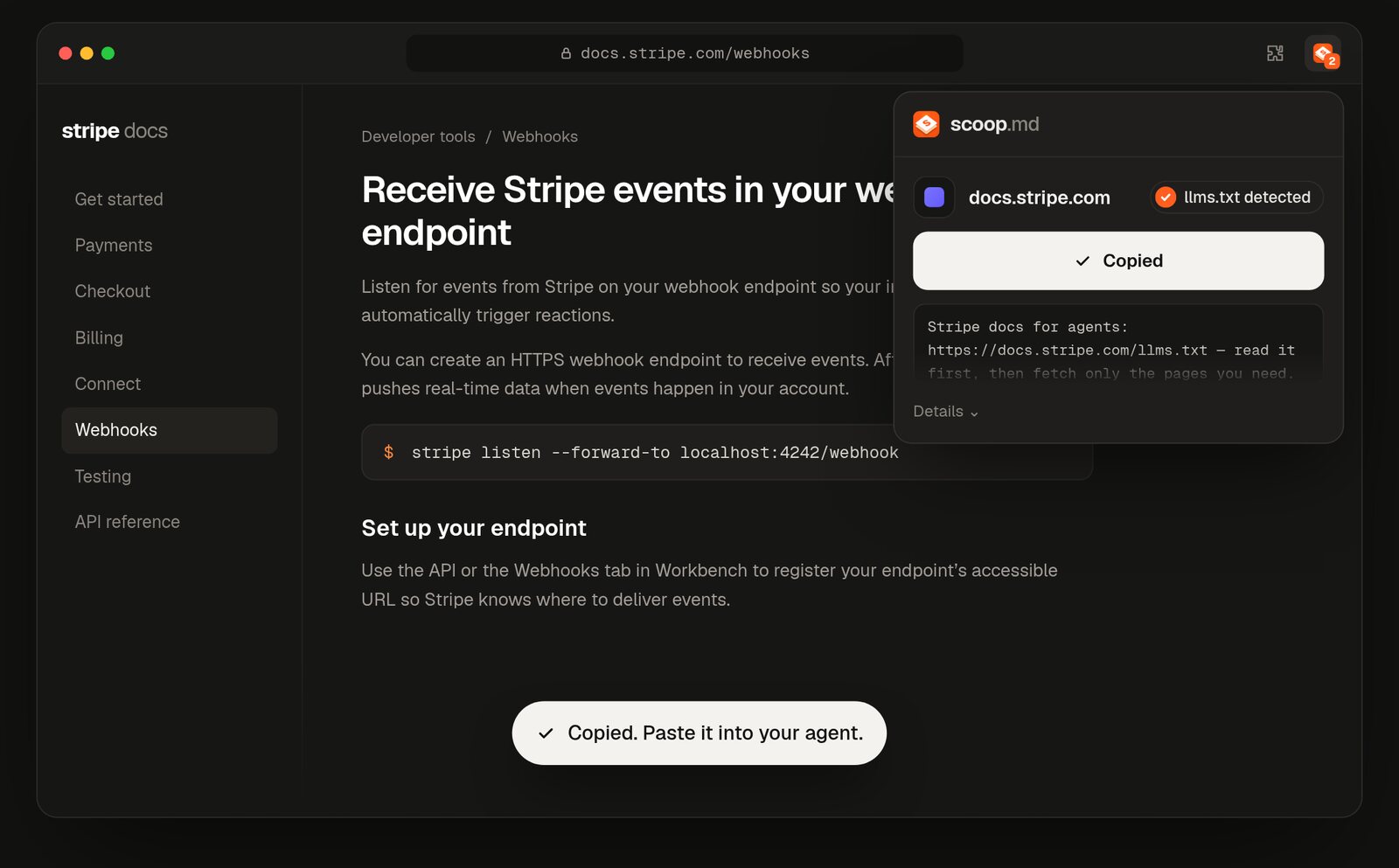
Scooping the Stripe webhooks docs: llms.txt detected, copied, and a short prompt telling your agent to read the index first.
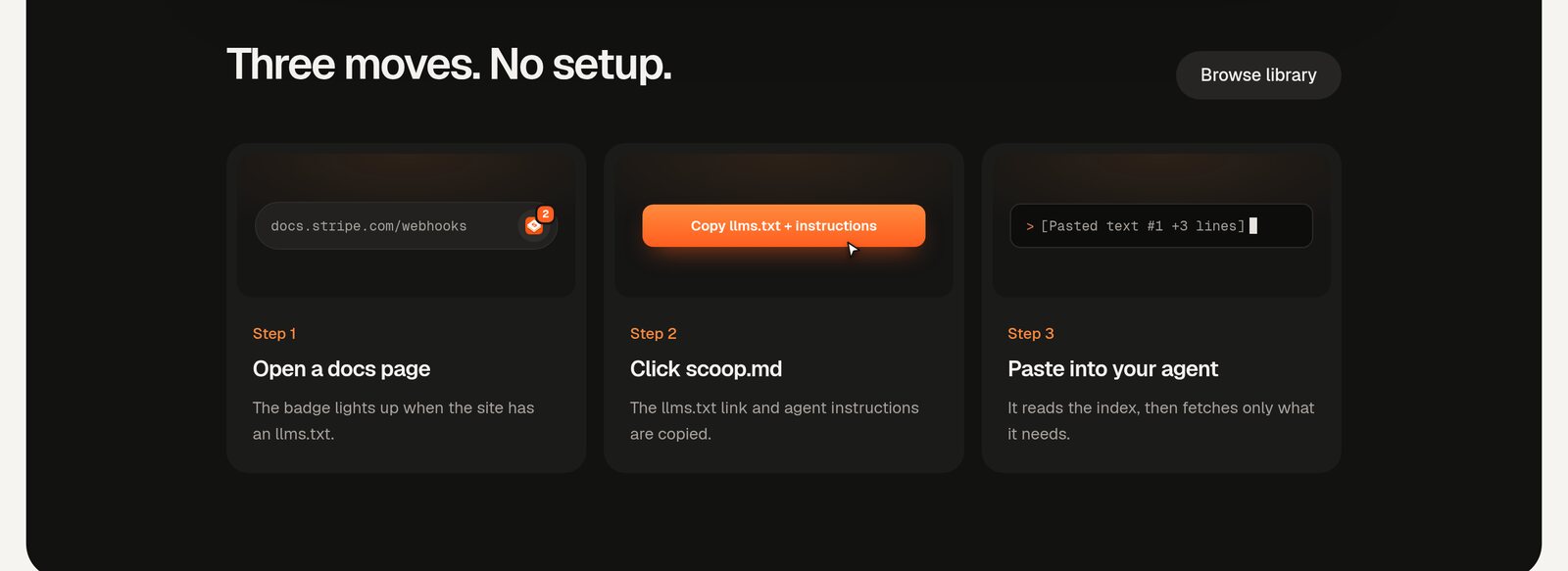
Three moves. No setup.
Instructions for agents
Some llms.txt files include lines written specifically for agents: how to install the product, which API to prefer, which patterns to avoid. Stripe, for example, tells agents to use the Checkout Sessions API and to prefer Stripe-hosted payment pages. scoop.md pulls those lines out verbatim and puts them right in the popup, so the advice the docs team actually wants followed travels with the link.
A shared library
When a site publishes its own llms.txt, scoop.md links to it as it is. When a site does not, scoop.md prepares one, so the button still works. Every site that has been scooped goes into a public, searchable library, ordered by how often people scoop it. Each entry shows its page count and whether the llms.txt is the site's official one or prepared by scoop.md. It already covers Stripe, Anthropic, Twilio, Python, PHP, pytest, ESLint, Hono, uv, Blender and more, and it grows every time someone scoops a new site.
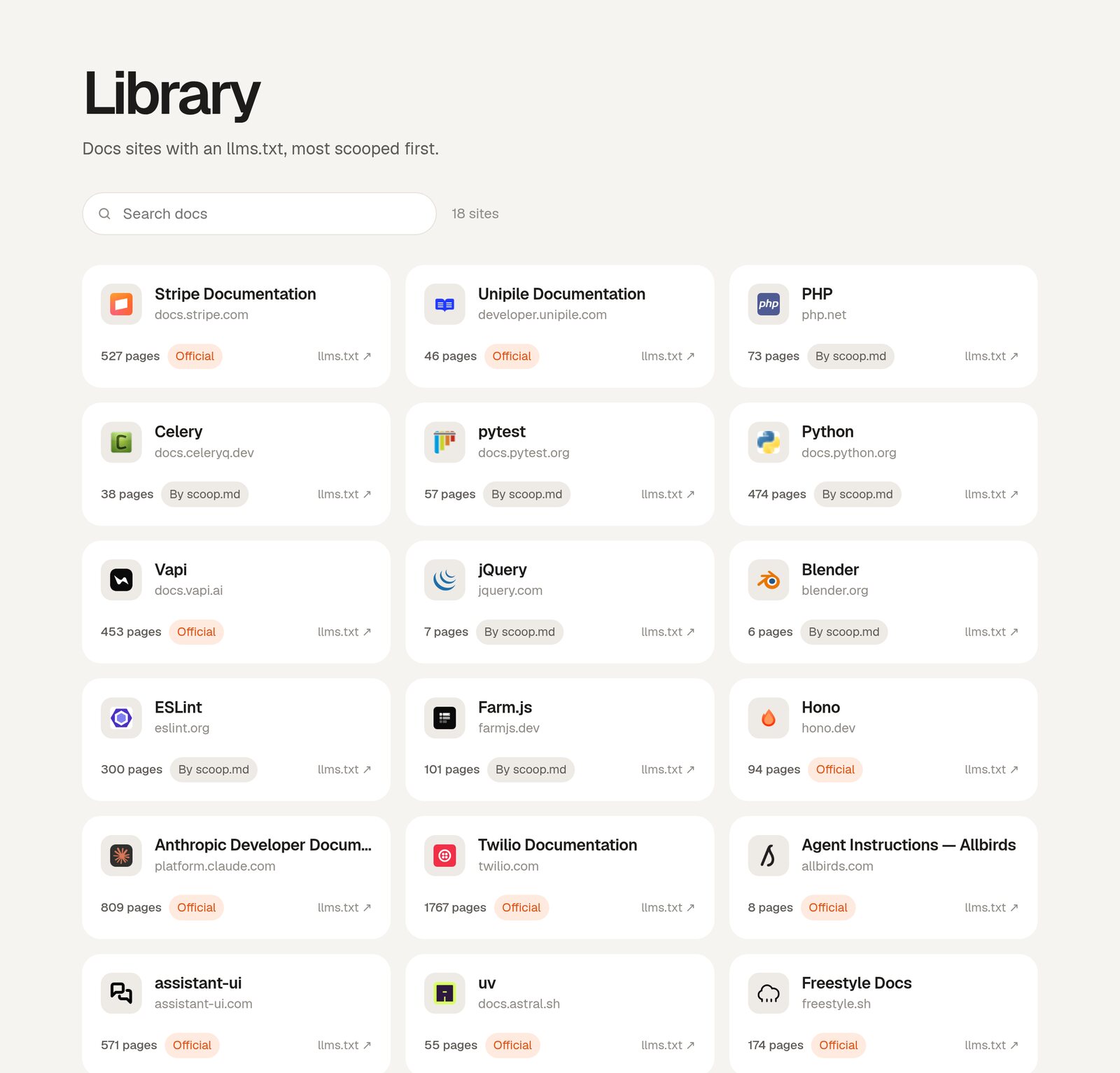
The library: sites marked Official publish their own llms.txt; for the rest, scoop.md prepared one.
Why We Kept It Small
It would have been easy to turn this into something bigger: a docs search engine, an MCP server, a dashboard. We deliberately did not. The job is to get the right documentation into an agent with as little friction as possible, and every extra screen works against that.
- One button, one outcome. The toolbar icon is the whole interface. It shows a badge when a site has an llms.txt, so you know before you click.
- Copy a link, not a wall of text. scoop.md copies a short prompt with the llms.txt link rather than dumping thousands of tokens into your clipboard. Your agent fetches only the pages it needs, which keeps its context clean.
- Agent agnostic. It works with whichever agent you use, because the output is just text you paste.
- Open source. The extension, the library service and the crawler are all on GitHub under the MIT licence. A tool that sits in your browser should be one you can read.
The Design
The brand is built around the name. Scooping is a satisfying, physical verb, so the identity leans into it: a stacked layers mark that reads as pages being lifted off a pile, and a single confident orange used only for the thing that matters. Everything else is quiet. A clean sans for the interface, and monospace for everything technical, from file paths to page counts, so you always know what is a label and what is data.
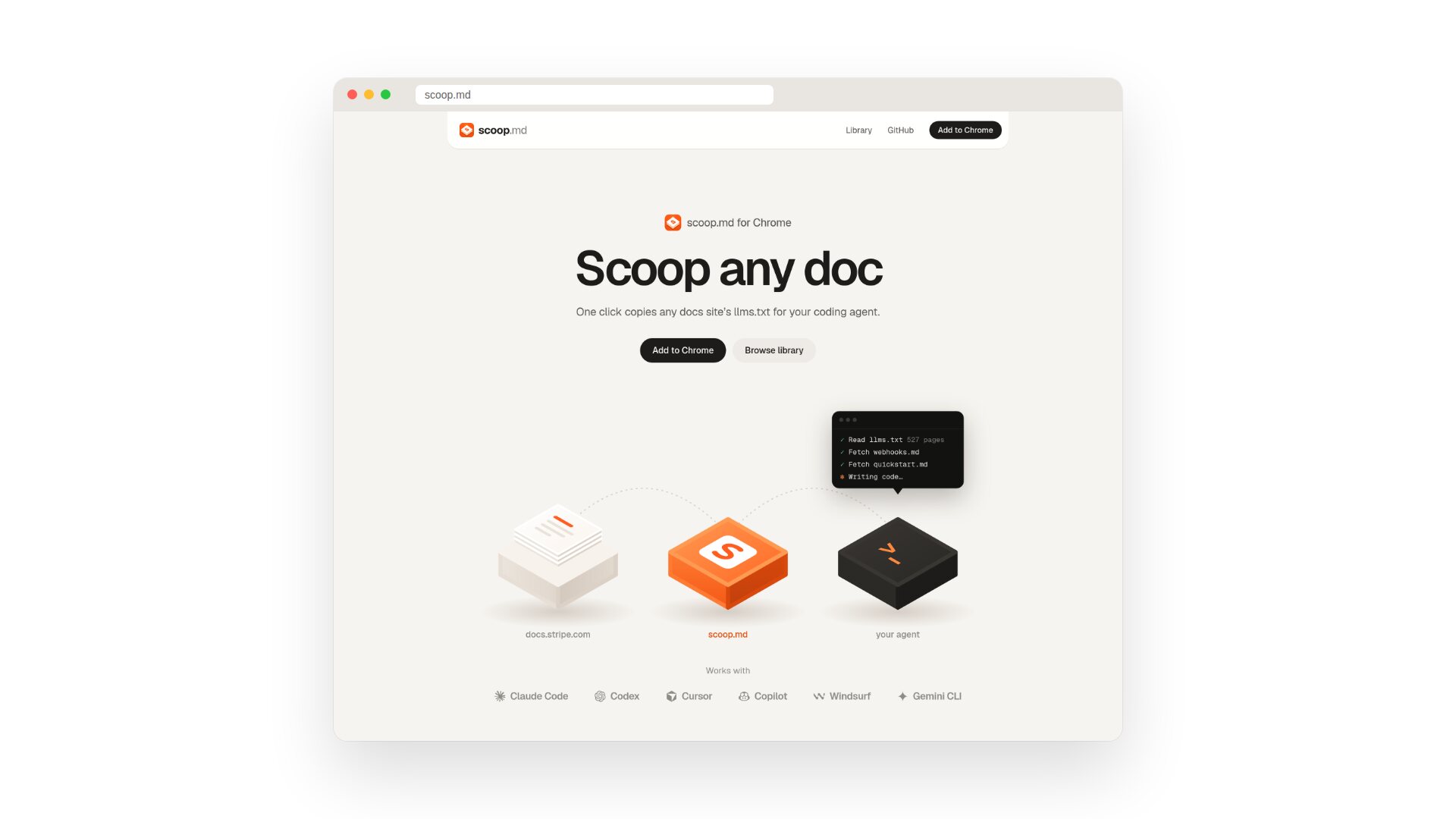
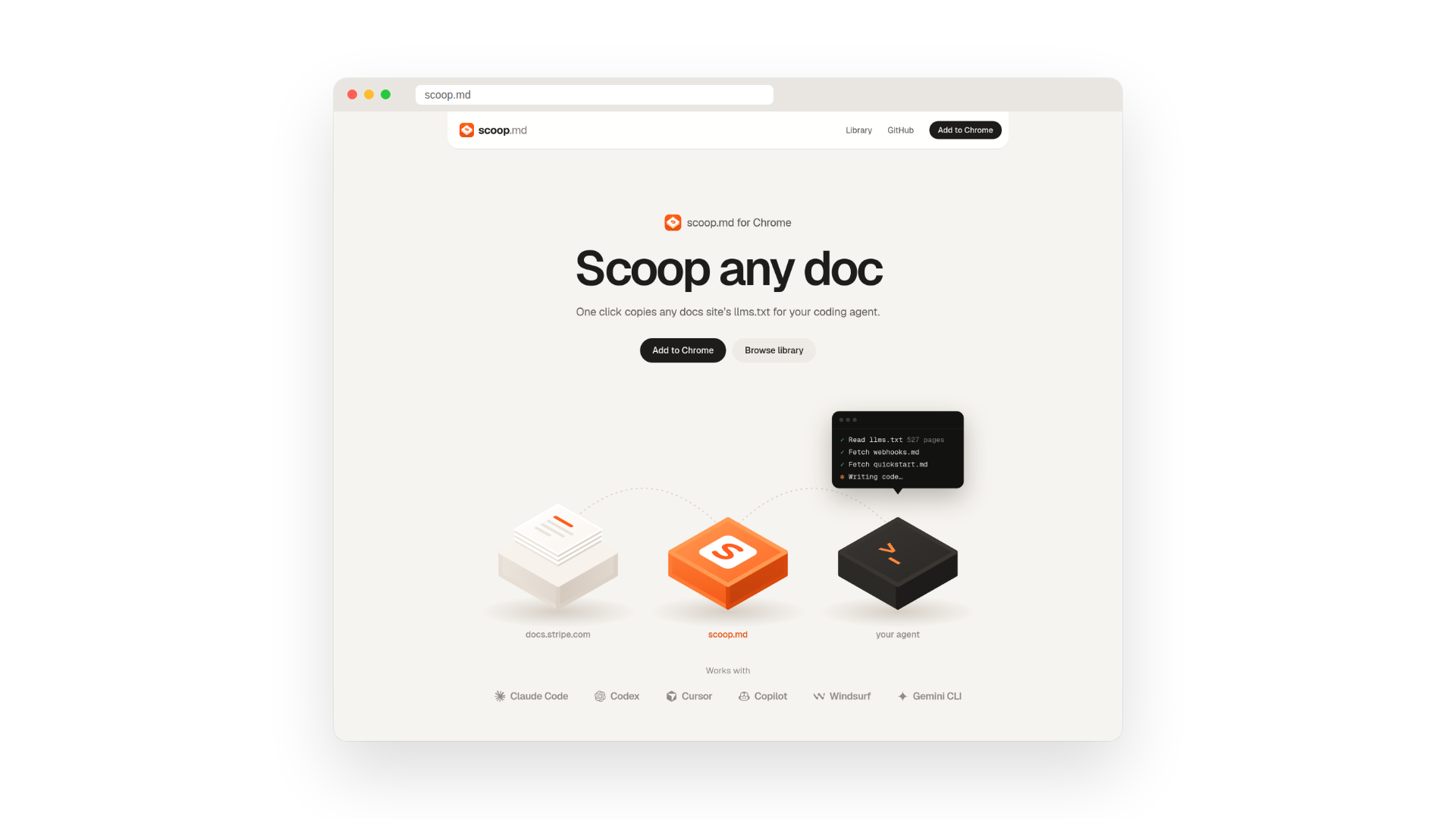
The homepage does not explain the product so much as show it. The hero is three objects in a row: a stack of docs, the scoop.md block and your agent, joined by a dotted path, with a terminal above the agent reading llms.txt and fetching only the pages it needs. If someone looks at it once, they understand the tool without reading a word. Below that, a dark section replays a real scoop on the Stripe webhooks docs, then sums the whole product up in three moves.
It connects directly to things I have written about here before. In Designing for Agents I argued that more and more visits to websites will come from agents acting for people. scoop.md is a small, practical piece of that future: a bridge between the docs written for humans and the agents that increasingly read them.
Try It
scoop.md is free on the Chrome Web Store. Install it, open the docs for whatever you are building with this week, and scoop them into your agent. If a site you rely on is not in the library yet, scooping it is how it gets added.

Keep reading