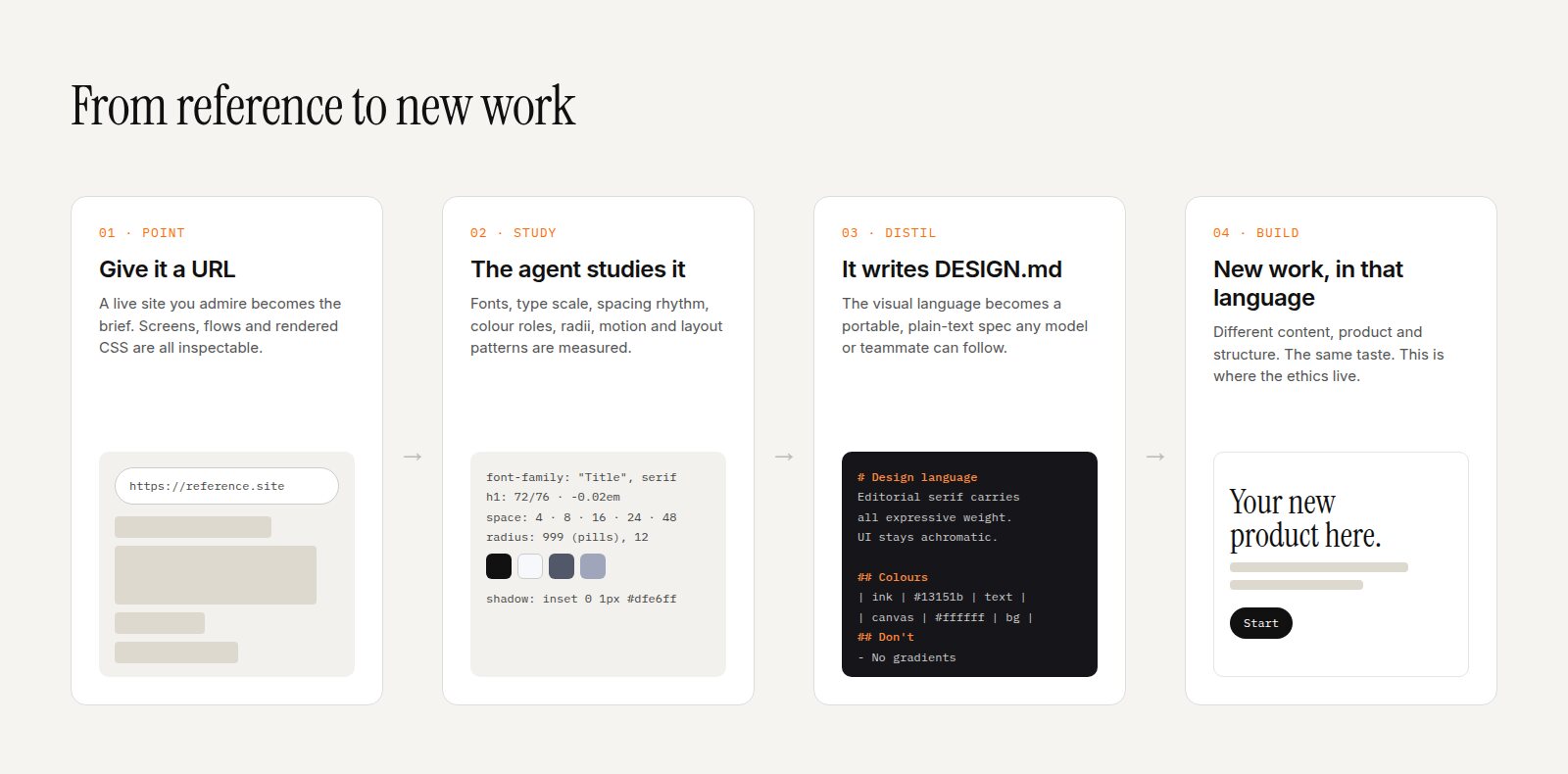

Designing for Agents: Do We Still Need to Design for Humans?
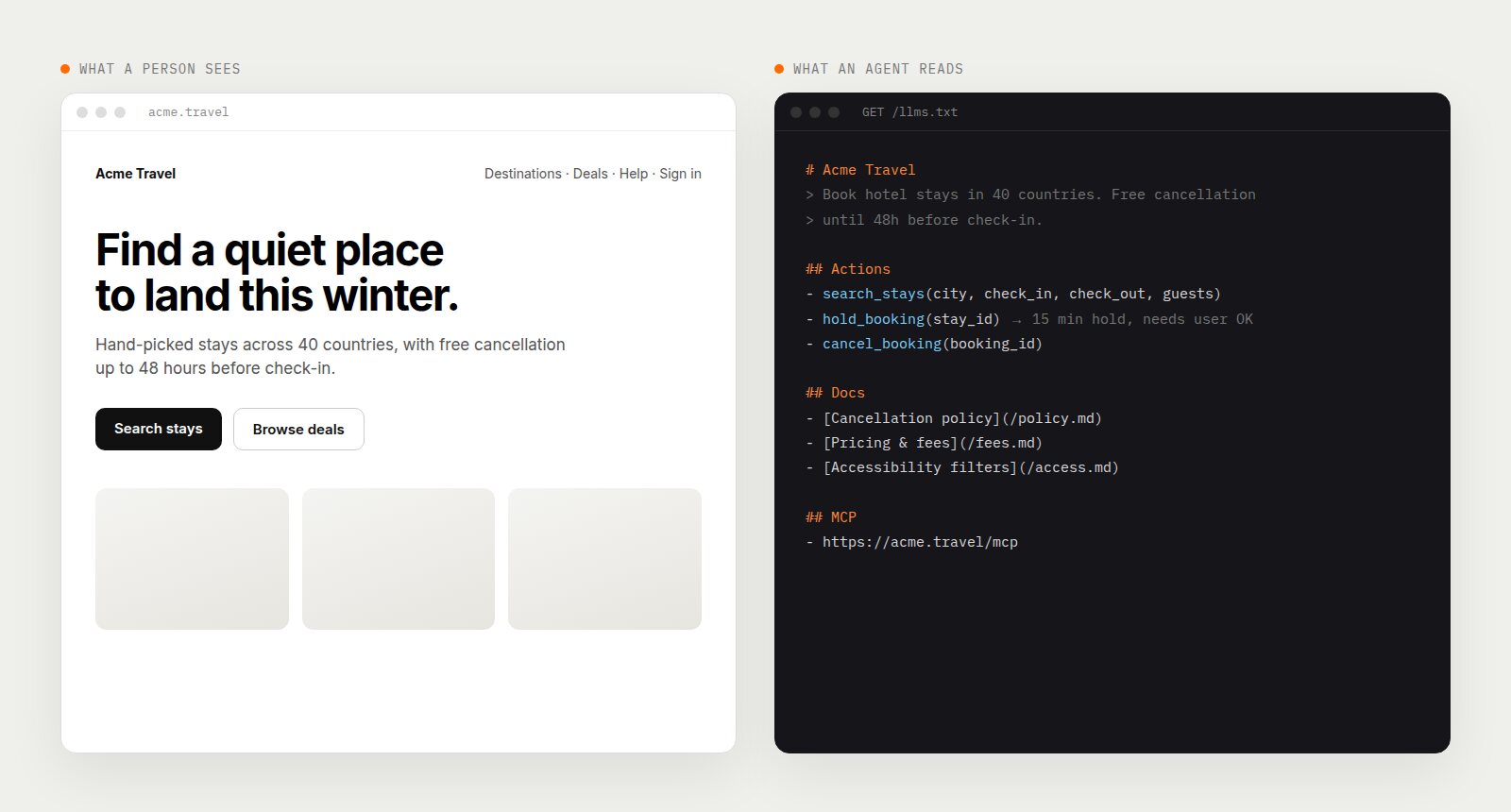
A growing share of the visitors to your website are not people. They are agents, reading and acting on behalf of people. So why are we still designing every pixel for human eyes?
Agents that browse the web are no longer a demo. Anthropic's Claude can work inside Chrome and operate a computer. xAI's Grok Bot runs always-on agents with their own computer that sign into your tools and only check back when they need approval. Meta and the other big platforms are pushing in the same direction. Coding agents fetch documentation constantly to get an API call right.
You can already see websites adapting. Documentation pages now carry "Copy page" buttons that hand the content to an AI. Products have "Connect MCP" buttons that plug your agent directly into their data. Sites publish an llms.txt file that exists purely for machines to read.
It is fair to ask whether designing websites for humans is still necessary. My answer is yes, but the job has split in two, and most design teams are only doing half of it.
The Patterns Already Shipping
Copy for AI
Look at almost any developer documentation site today and you will find a button next to the page title that copies the page as clean markdown, often with a menu to open it directly in Claude, ChatGPT or Cursor. It is a tiny component that admits something big: a lot of readers are going to pass this page to a model rather than read it themselves.
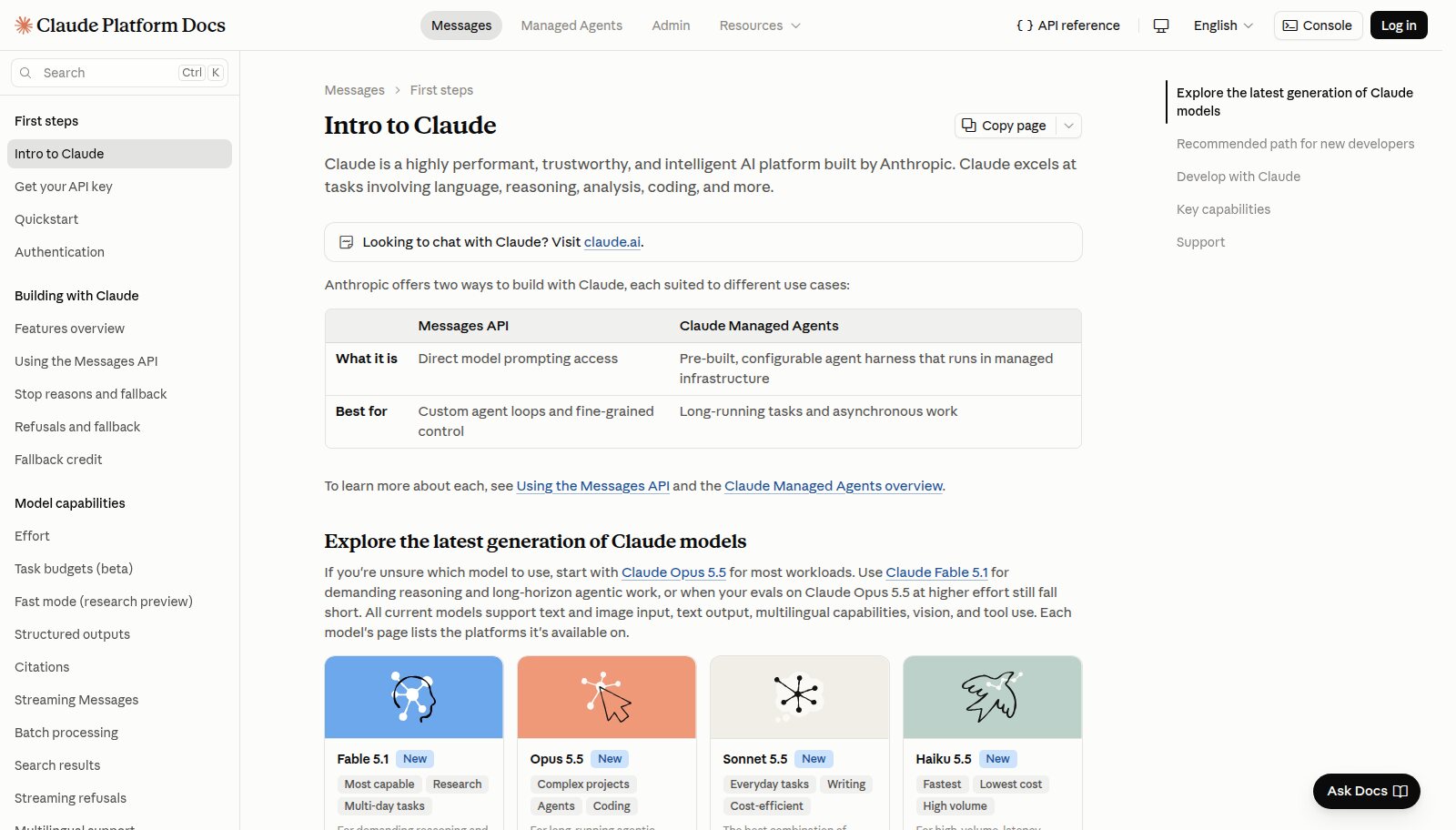
A "Copy page" button on the Claude Platform Docs, built for handing pages to an AI. Image: docs.claude.com.
llms.txt
The /llms.txt proposal is a markdown file at the root of a site that gives agents a concise, curated map of what matters, with links to markdown versions of key pages. The second version of the proposal notes that thousands of sites now publish one, documentation platforms generate them automatically, and Chrome's Lighthouse checks for one as part of its agentic browsing audits. OpenAI, Anthropic and Google publish them for their own developer docs.
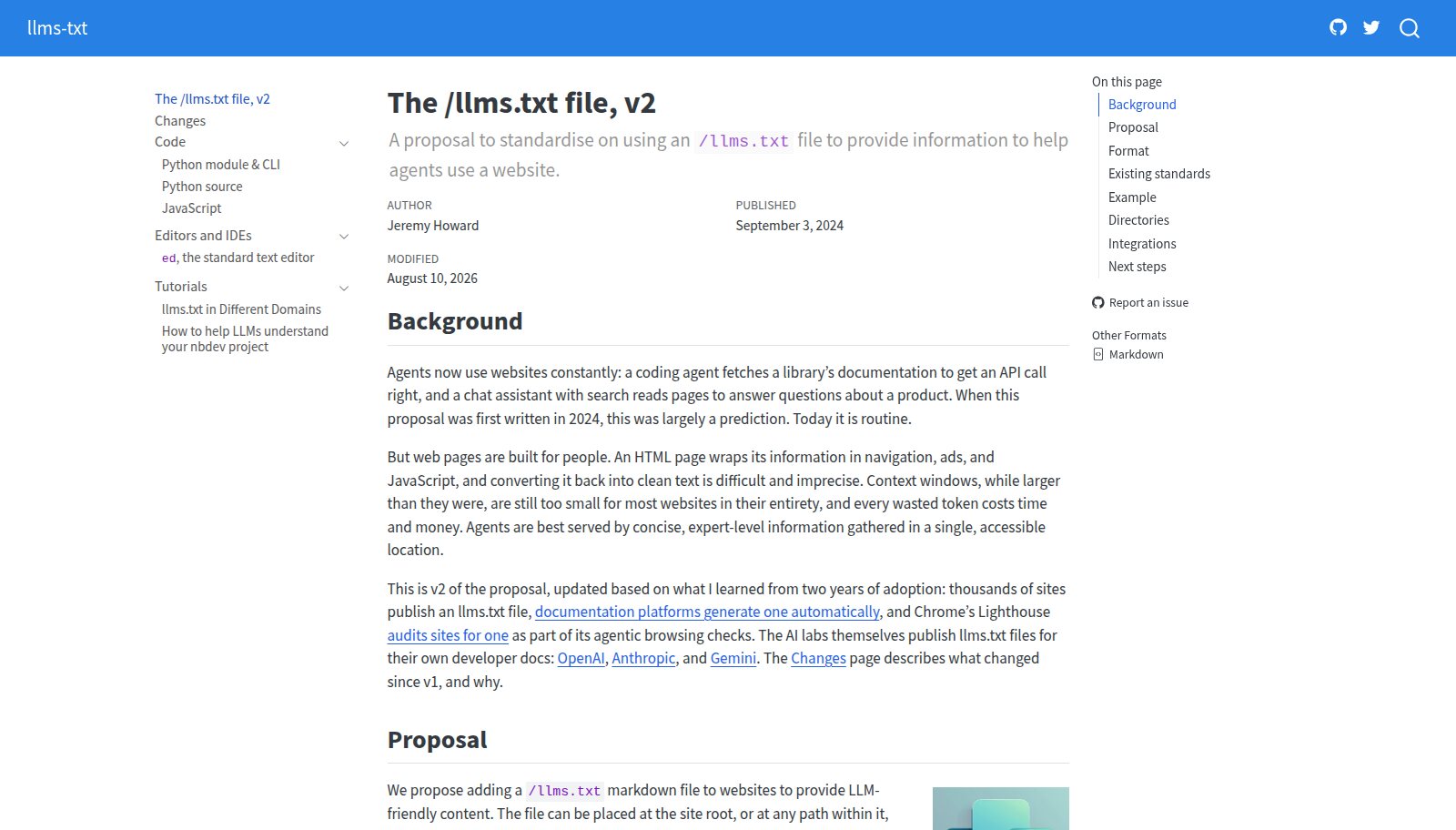
The /llms.txt proposal, now in its second version. Image: llmstxt.org.
MCP: connect your agent
The Model Context Protocol lets a product expose its data and actions as tools an agent can call directly, without scraping the interface at all. More and more products put a "Connect MCP" button in their main navigation. Refero, the design reference library I use constantly, now leads with one: its MCP connects your agent to a library of real product interfaces so it can study them before it builds.
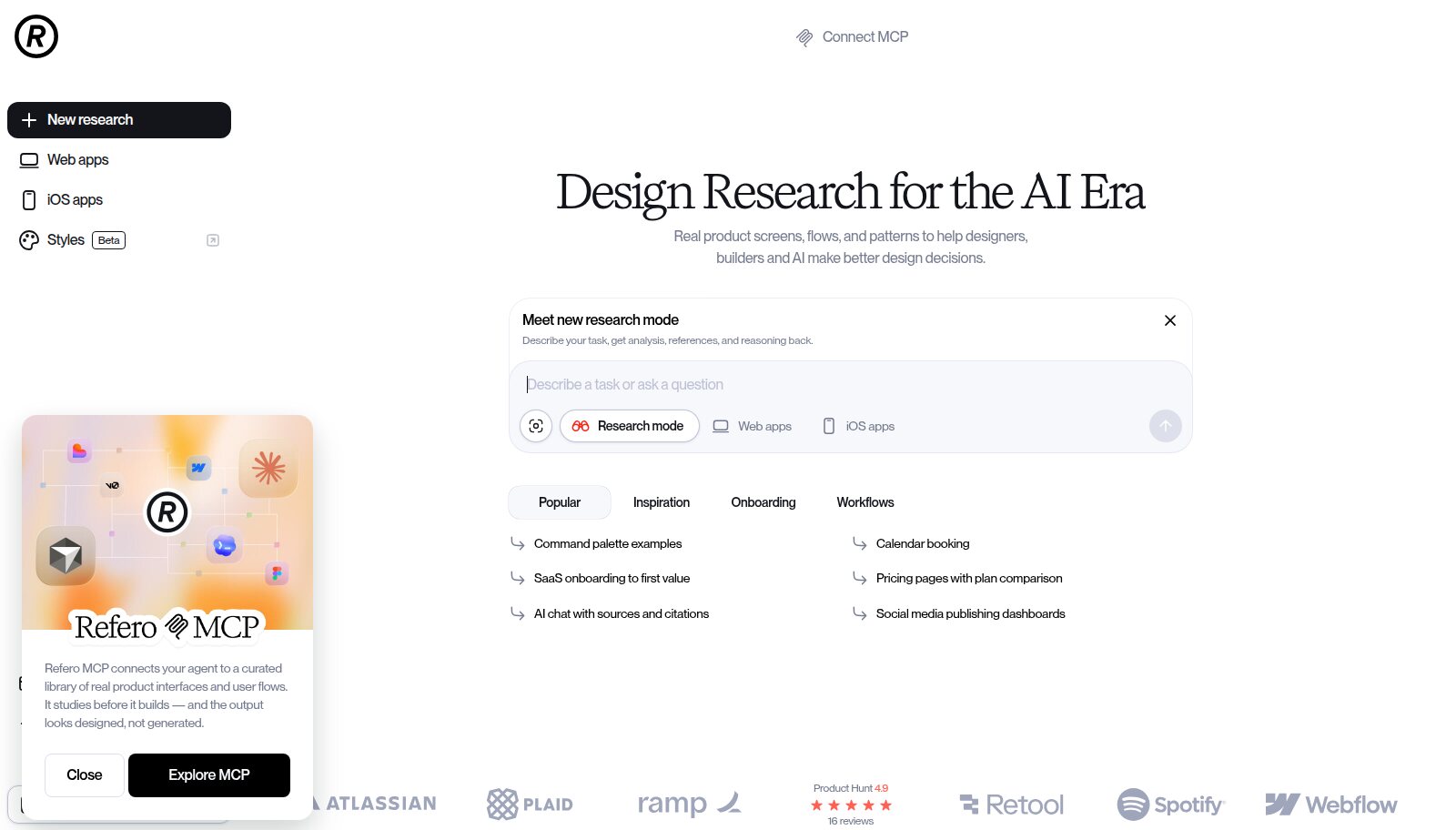
"Connect MCP" sitting in Refero's primary navigation. Image: refero.design.
So, Do Humans Still Need Design?
Here is the distinction I keep coming back to: agents do errands, humans make choices.
An agent is excellent at "find me a hotel in Lisbon under £150 with free cancellation" and "renew my subscription". Those are errands. They have a correct answer, and if an agent can do them faster through an API than through your carefully designed checkout, it will, and the user will be happier.
But choosing which hotel feels right, deciding whether to trust a new brand, falling for a product, understanding a complex trade-off: those are human moments, and they are moved by exactly the things design does well. Tone, imagery, hierarchy, the feeling that someone cared. An agent can shortlist three hotels. A person still looks at the photos.
So the human interface does not disappear. It concentrates on the moments that need judgement, trust and taste, and stops trying to carry every routine task. Meanwhile a second interface, for agents, takes on the errands. The best sites will be bilingual.
Agents do errands. Humans make choices. Design the agent path for speed and accuracy, and the human path for trust, judgement and delight.
What Designing for Agents Actually Means
1. Structure is the interface
An agent reading your page sees what a screen reader sees: headings, landmarks, labels, buttons, links. A div styled to look like a button is invisible to both. The good news is that if you have done accessibility properly, you are most of the way to being agent-ready already. The bad news is that most sites have not.
2. Every page needs a text twin
Agents work best with clean markdown, not a page wrapped in navigation, cookie banners and JavaScript. Offer a markdown version of key pages, publish an llms.txt, and add a "Copy for AI" control where people are likely to want one. These should be components in your design system, not afterthoughts bolted on by engineering.
3. Expose actions, not just pages
If agents are going to book, buy, cancel and update on users' behalf, give them a proper door. An MCP server or a well-documented API is the agent equivalent of a good checkout flow. Designers should be in the room when those actions are named and scoped, because a clear set of actions is a UX problem, not just an engineering one.
4. Design the handoff moments
The most important new screens are the ones where an agent stops and asks the human. "Your agent wants to book this room for £142. Approve?" That confirmation has to be instantly legible, show exactly what will happen, and make undo obvious. Approvals, receipts, activity logs and permissions are where trust is won or lost in an agentic product.
5. Be predictable
Agents struggle with the things humans also find annoying: menus that only appear on hover, content hidden behind infinite scroll, surprise modals, CAPTCHAs on routine actions, layouts that move after they load. Stability is now a feature for two audiences.
6. Say the important things in words
Prices, limits, policies and constraints buried in images or vague marketing copy are invisible to agents, and they will be summarised wrongly or not at all. If your free trial ends after 14 days, write "14 days" in text. Clarity is now a ranking factor in a very literal sense: it decides whether an agent recommends you.
Brand When Your Visitor Is a Machine
A reasonable fear is that brand stops mattering when an agent is doing the browsing. I think the opposite happens. When an agent summarises five options for a user, the brands that come through are the ones with a clear, specific point of view in their own words. Your text twin needs a voice just as much as your homepage does.
And the human side becomes more important, not less. If people only visit your site at the decision point, every visit is a high-stakes one. There is no room for a generic template at the moment someone is deciding whether to trust you.
How I Am Changing My Workflow
- An agent journey next to every user journey. For each key flow I ask: how would an agent do this, what would it need, and where must it stop and ask a human?
- The agent as a persona. Not a replacement for real users, but a real secondary audience with its own needs: structure, clarity, stable actions.
- The no-CSS review. Before handoff, I look at the page with styles turned off, or read the markdown version. If it does not make sense as plain text, it will not make sense to an agent.
- Agent-facing components in the design system. Copy for AI buttons, Connect MCP entry points, approval sheets, activity logs, permission screens. Designed once, consistently.
- Measuring agent traffic. Teams that cannot see how much of their traffic is agents are designing blind.
The Next Internet Has Two Readers
The web was built for people and then adapted for search engines. Now it is being adapted again, for agents that read and act. Every time this has happened, the sites that did well were the ones that treated the new audience as a design problem rather than a technical one.
So yes, keep designing for humans. Design for them at the moments that matter: trust, choice, delight. And start designing for their agents too, because whether you plan for it or not, they are already here.