
How to Create Your Own Asset Packs with AI
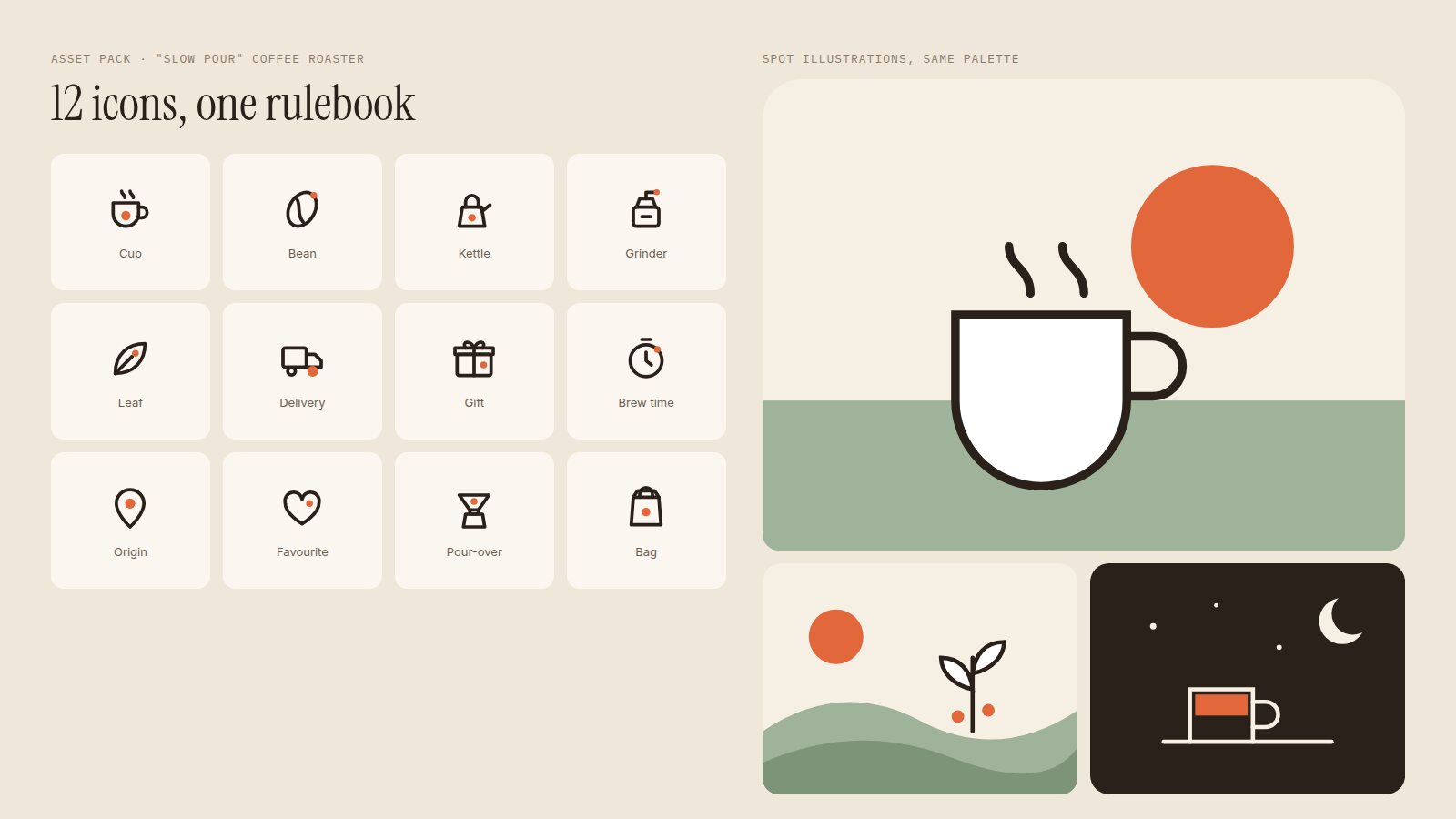
For years, the first step of my process was shopping. Icon packs, illustration packs, 3D packs. Now the first step is writing a style sheet.
Bought packs were always a compromise. You found a set that was close to your brand and adjusted the brand to fit it. You needed an icon for "roast date" and the pack only had "calendar". Half the internet was using the same illustrations, so your product looked like everyone else's.
Image models have changed that. With Gemini (its Nano Banana image models) and ChatGPT's image generation, a designer can now create a whole family of icons and illustrations that share one visual language, built around the brand rather than the other way round. Done well, these assets are not decoration. They set the mood, carry emotion, and help a page do its actual job: turning visitors into customers.
Done badly, you get a pile of images that almost match. The difference is process.
Step 1: Define the Feeling Before the Assets
Start with the brand, not the icons. What should someone feel when they land on this site? For the example pack in this article, a fictional coffee roaster called Slow Pour, I wrote: "warm, unhurried, handmade, a little playful". Those four words decide everything else: rounded strokes instead of sharp ones, earthy colours instead of neon, simple scenes instead of busy ones.
Then list every asset you actually need. Go through your pages and note every place an icon or illustration appears: feature lists, empty states, onboarding, error pages, emails, social posts. A pack built from a real list is useful. A pack built from "let's make some icons" is not.
Step 2: Write the Rules Before the Prompts
This is the step that separates a cohesive pack from a random collection. Before generating anything, write a short style sheet with hard rules:
- Grid and size: for icons, a 24 by 24 grid with a safe area.
- Line: stroke weight, round or square caps, filled or outlined.
- Colour: an exact palette with hex values, and rules for how each colour is used.
- Signature detail: one small, repeatable motif that ties everything together. For Slow Pour it is a single terracotta dot in every icon.
- Never: what is banned. Gradients, 3D, drop shadows, text inside images.
These rules go into every prompt word for word. Consistency comes from repetition, and the model will not remember your intentions between requests unless you restate them.
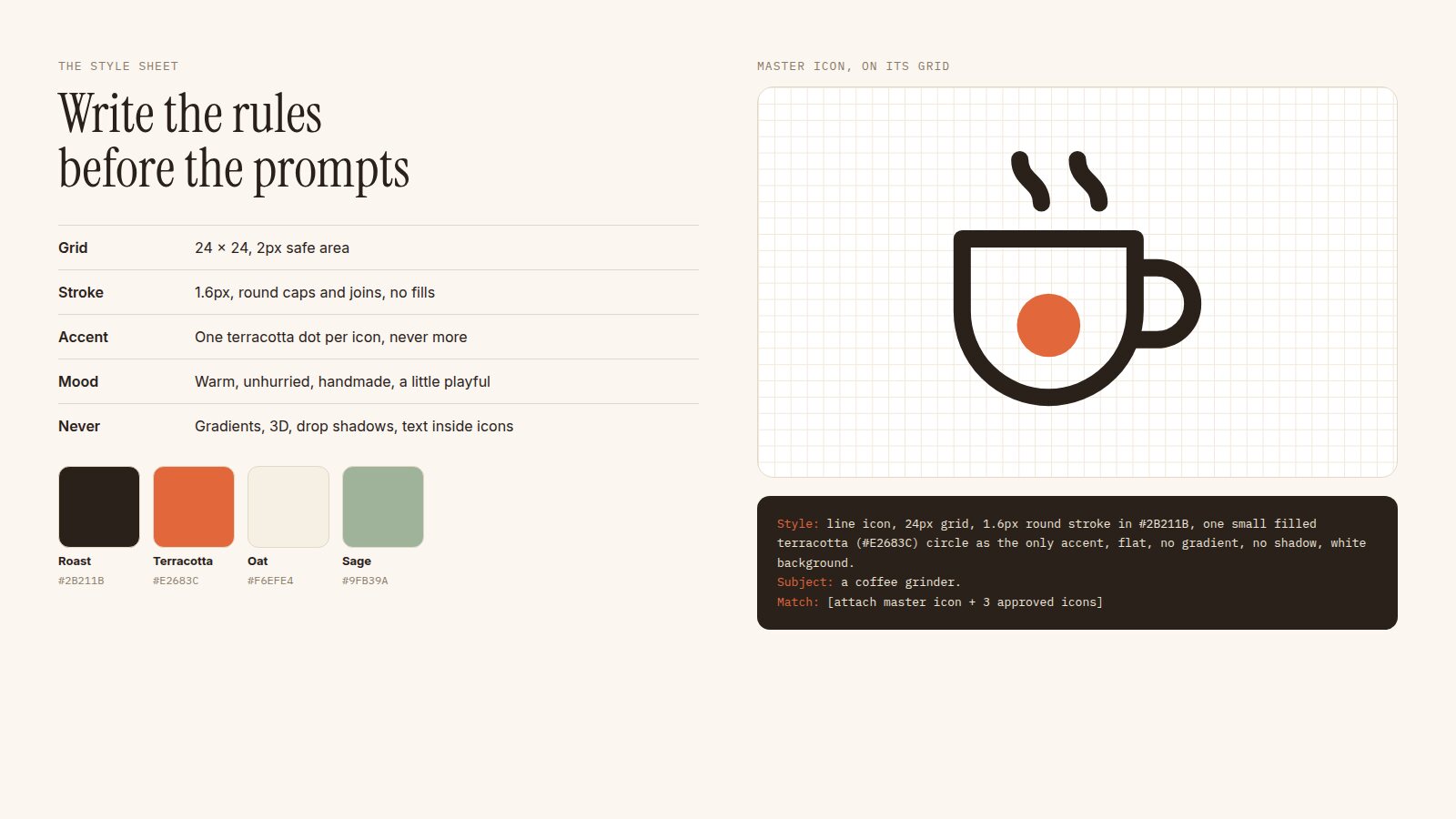
The style sheet, the master icon, and the prompt that repeats both. Illustrative example for a fictional brand.
Step 3: Make One Master Asset
Do not ask for twelve icons at once. Generate one, and iterate on it until it is exactly right. That master asset becomes the reference for everything else.
Both Gemini and ChatGPT let you attach reference images, and that is the most important feature for this workflow. Each new request should include the master asset plus a few approved ones, with an instruction to match them. Google's own developer guides on generating consistent imagery with Nano Banana use the same idea: reference images and a fixed style description, reused across every generation.
# The prompt pattern I use for every asset
Style: line icon on a 24px grid, 1.6px round stroke in
#2B211B, one small filled terracotta (#E2683C) circle as
the only accent. Flat. No gradient, no shadow, no text.
Plain white background, centred, generous padding.

Subject: a coffee grinder

Match: the attached reference icons exactly in stroke
weight, corner style, proportions and accent placement.
Step 4: Generate in Batches, Curate Hard
Generate each asset several times and pick the best. Expect to throw most of them away. The skill here is editorial: putting every candidate side by side with the approved set and asking, does this belong? Watch for stroke weights that drift, accents that multiply, perspective that slips into 3D, and details that are more complex than their neighbours.
Lay the whole pack out on one board as you go. Inconsistency that is invisible one image at a time becomes obvious when twelve sit together.
Step 5: Clean Up and Make It Production-Ready
Image models output pixels, and websites want crisp, lightweight, editable assets. So the final step is still hands-on:
- Vectorise icons. Trace them in Figma or Illustrator, or redraw them on the grid using the generation as a sketch. This is where you fix stroke weights and align everything to the pixel grid.
- Export properly. SVG for icons so they scale and can be recoloured in code. WebP or AVIF for illustrations.
- Name and organise. Put them in a Figma library or a folder with consistent names, so the next person can find "icon-delivery" without opening forty files.
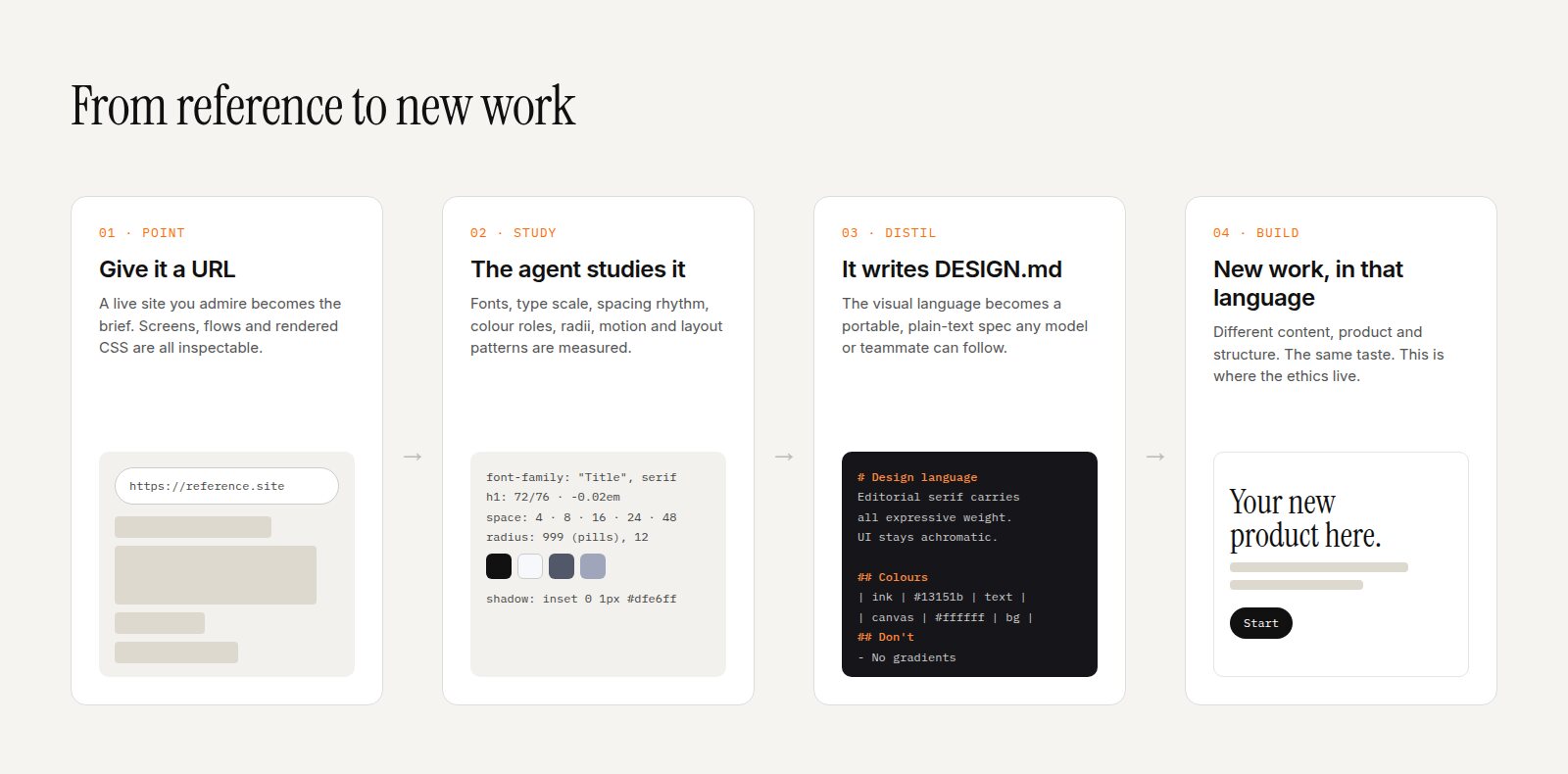
- Add them to your DESIGN.md. Document the rules alongside the assets so future generations, by you or an agent, stay on-style.
Gemini's Nano Banana image models are one of the tools behind this workflow. Image: gemini.google.
The model produces the images. The style sheet produces the consistency. Your eye produces the quality.
Assets That Convert
A good asset pack is not there to fill gaps. Every illustration on a page should be doing a job:
- Set the mood in the first second. Before anyone reads a word, the hero illustration tells them whether this brand is calm or energetic, premium or playful.
- Explain faster than words. A clear icon next to "free delivery over £30" is scanned in a fraction of the time the sentence takes.
- Soften the hard moments. Empty states, errors and 404 pages are where friendly illustration keeps people from leaving.
- Point to the action. Illustrations can lead the eye towards the button you want clicked. Composition is a conversion tool.
- Build recognition. When every touchpoint, from site to emails to packaging, uses the same visual language, the brand becomes recognisable without a logo.
A Few Honest Cautions
- Check the terms. Read the usage terms of whichever tool you use, especially for client work, and keep a record of how assets were made.
- Do not imitate living artists. Prompting "in the style of" a named illustrator is a fast route to work that is both ethically questionable and instantly recognisable as borrowed.
- Avoid the AI look. Glossy 3D blobs, purple gradients and generic smiling people are the visual equivalent of stock photography. The point of making your own pack is to look like nobody else.
- Hire illustrators for the hero moments. AI is excellent for systems of many small consistent assets. A signature brand illustration often still deserves a human artist.
The Shift
The designer's job used to be finding assets that fit. Now it is defining what fits, and directing a tool to make exactly that. The craft has moved from searching to art direction.
That is good news. A small business can now have a visual language as cohesive as a big brand's, and designers who know how to write the rules, curate ruthlessly and finish properly can deliver it in days instead of weeks.