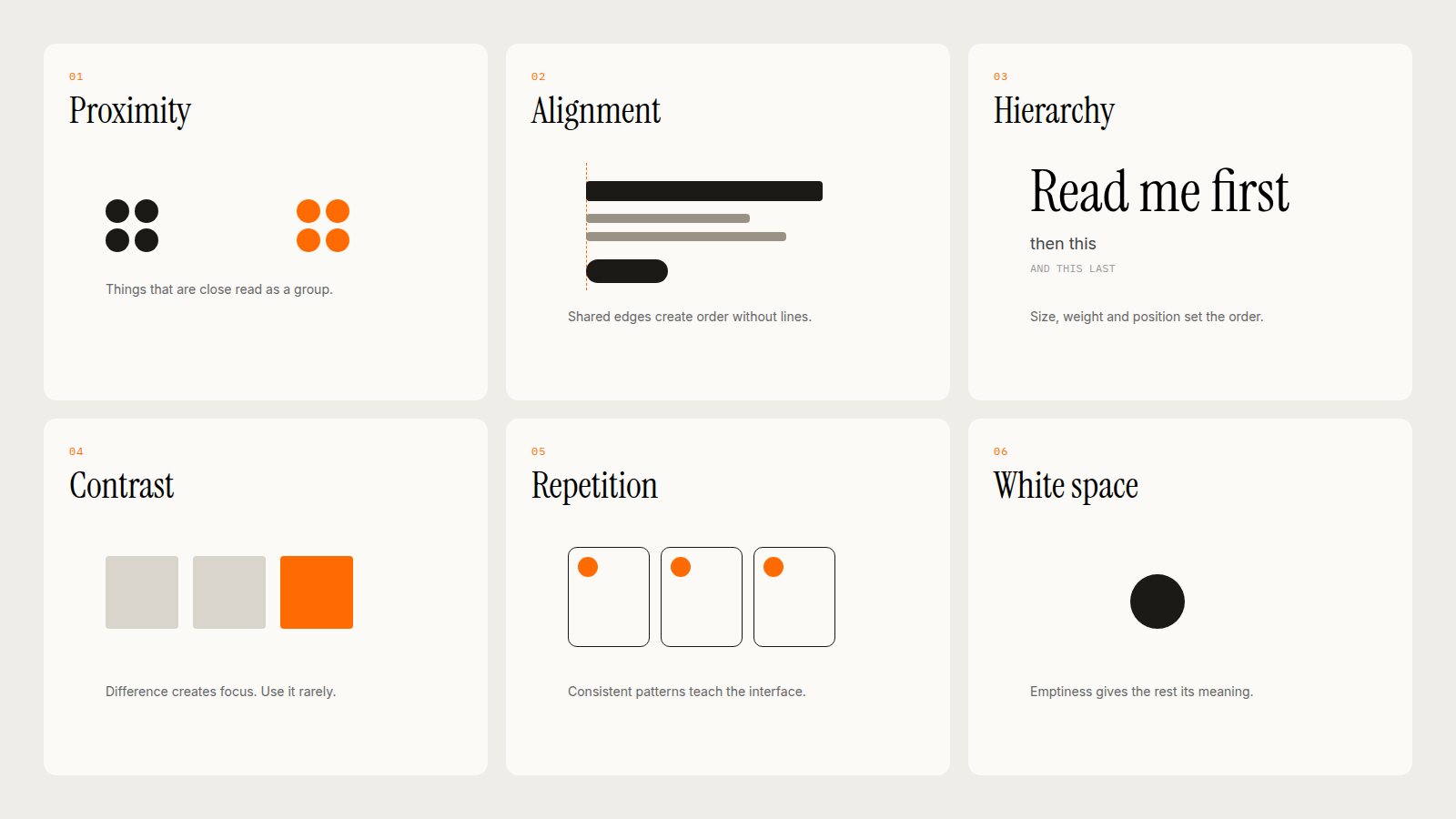

Less Is More: How White Space Makes Interfaces Feel Premium
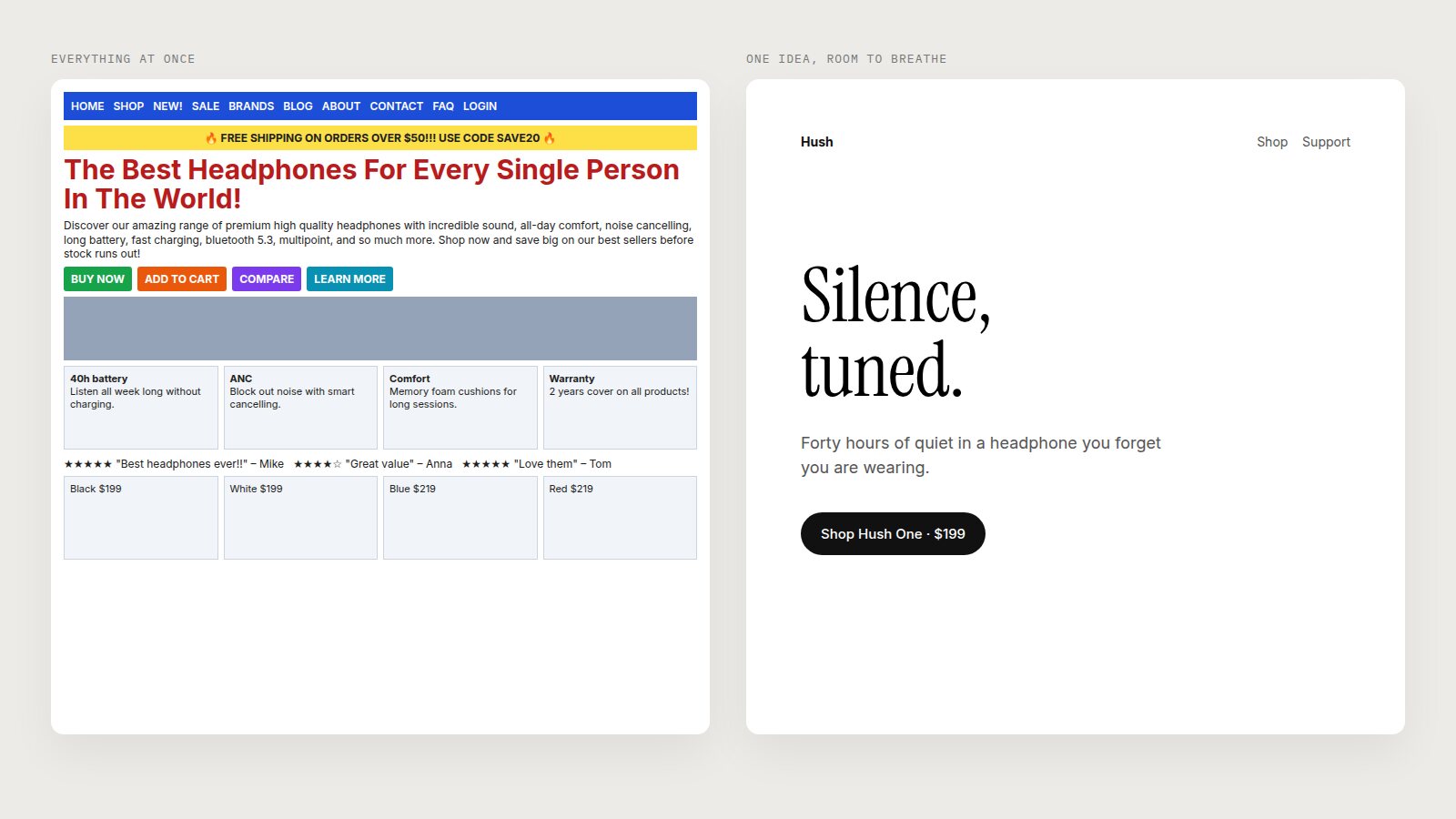
Look at the two pages above. They sell the same headphones. One looks like a clearance sale. The other looks like it costs twice as much. The only real difference is space.
White space, sometimes called negative space, is the part of a layout where nothing is happening. It does not have to be white. It is simply the room around and between things. And it is one of the most powerful tools a designer has, because it is how we tell people what matters, how they should feel, and how much we trust our own message.
Crowding is usually a symptom of fear: fear that the user will miss something, so we show everything. White space is a sign of confidence. It says: this is the one thing you need to see, and we are not worried that you will look away.
Why Space Reads as Premium
In the physical world, space is expensive. A luxury boutique displays six handbags on a wall that a discount store would fill with sixty. A good restaurant gives every table room to breathe. We have learned, over a lifetime, to read emptiness as a signal of value, and that instinct carries straight over to screens.
There is a practical reason too. Every element on a page competes for attention. Add a second button and the first one gets weaker. Add a third paragraph and the first two get skimmed. Removing things does not just look cleaner; it makes what remains work harder.
Apple: One Product, One Sentence
Apple's homepage is the textbook example. Today it leads with HomeView: a product name, a four-word line ("Designed for life at home."), an availability date, two small links, and the product itself floating on a pale grey field. That is the entire first screen. No feature list, no price comparison, no testimonials.
Notice how much of the screen is doing nothing. The headline has room above and below it. The links are small because they do not need to shout; nothing else is competing with them. Each product gets its own full-width panel as you scroll, separated by a thin gap, so you meet them one at a time.
Apple's lesson is that hierarchy is easiest when there is only one thing at the top of it.
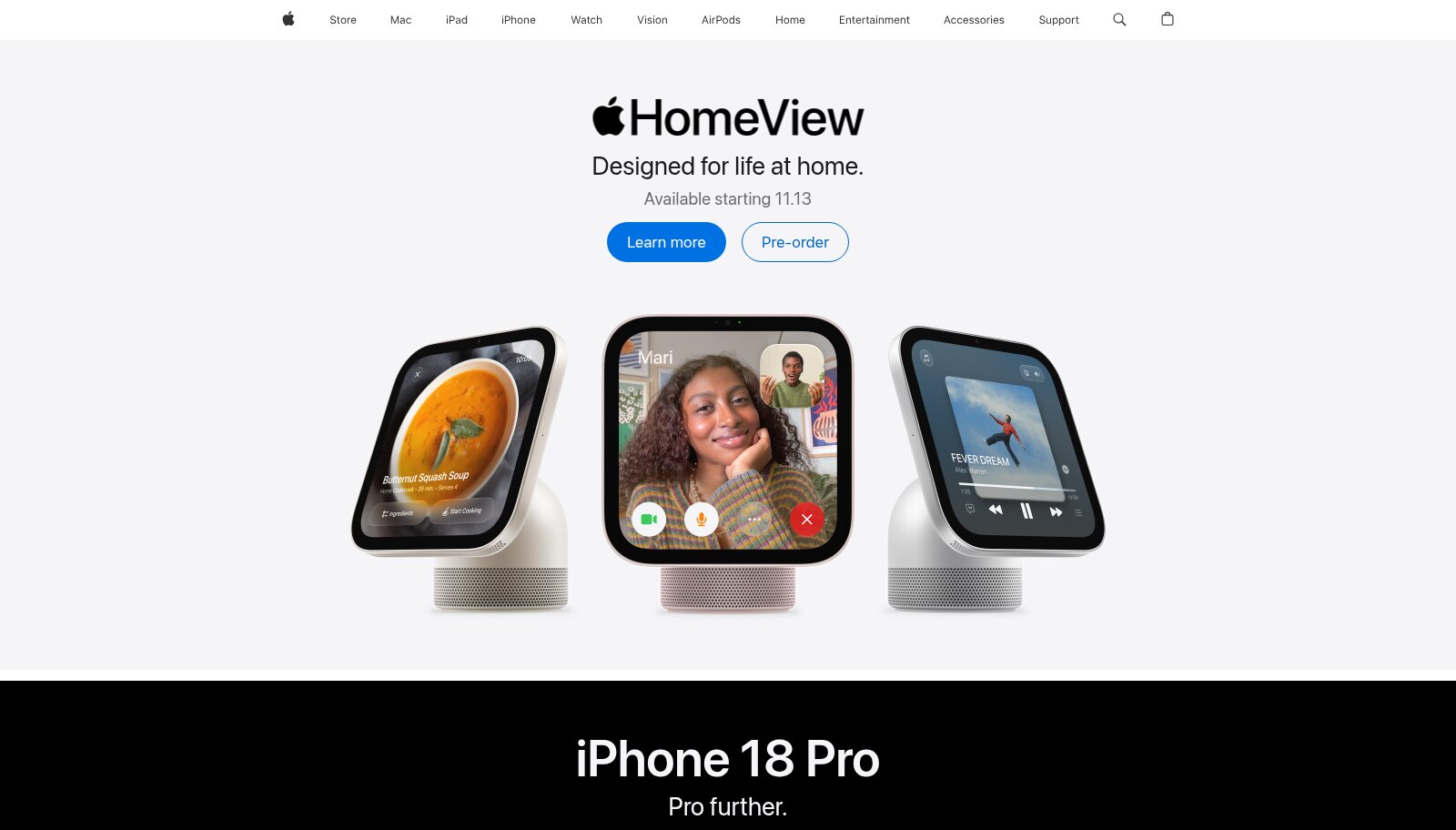
Apple's homepage: a name, one line, two links and the product. Image: apple.com.
Google: The Most Valuable Empty Page on the Internet
Google's search homepage is arguably the most famous use of white space in software. A logo, a single input, two buttons, and a near-empty screen around them. It has stayed that way through decades of pressure to fill it with news, weather, shopping and everything else Google does.
That emptiness is functional. It removes every possible decision except one: type your question. The whole company's value proposition is expressed by what is missing from the page.
The Google Store takes a softer version of the same approach. "Meet the new Google Fitbit Edge." A one-sentence description. One button. The product photographed large, with the headline given a whole column of space to itself.
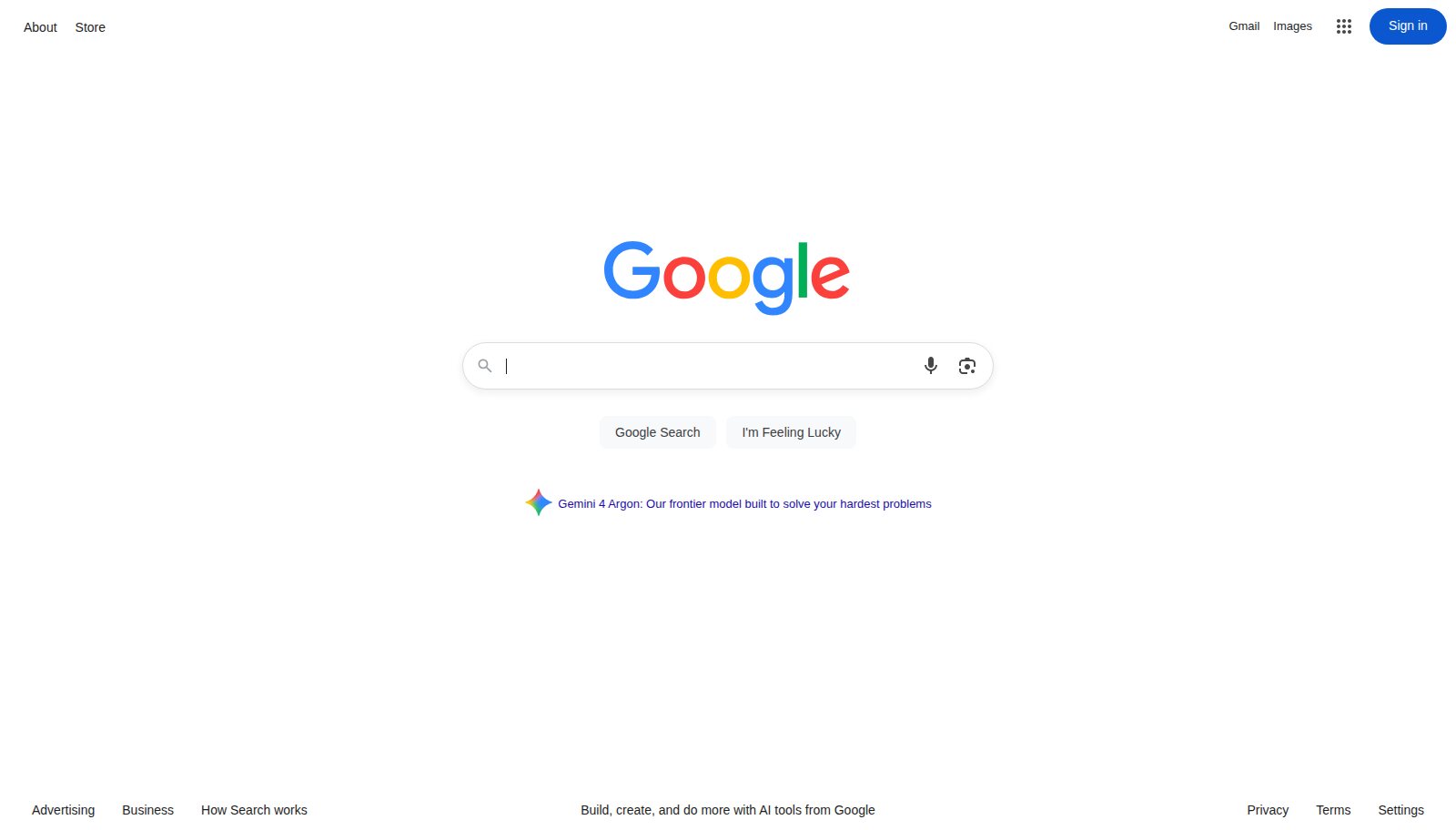
Google Search: a logo, a field and two buttons. Image: google.com.
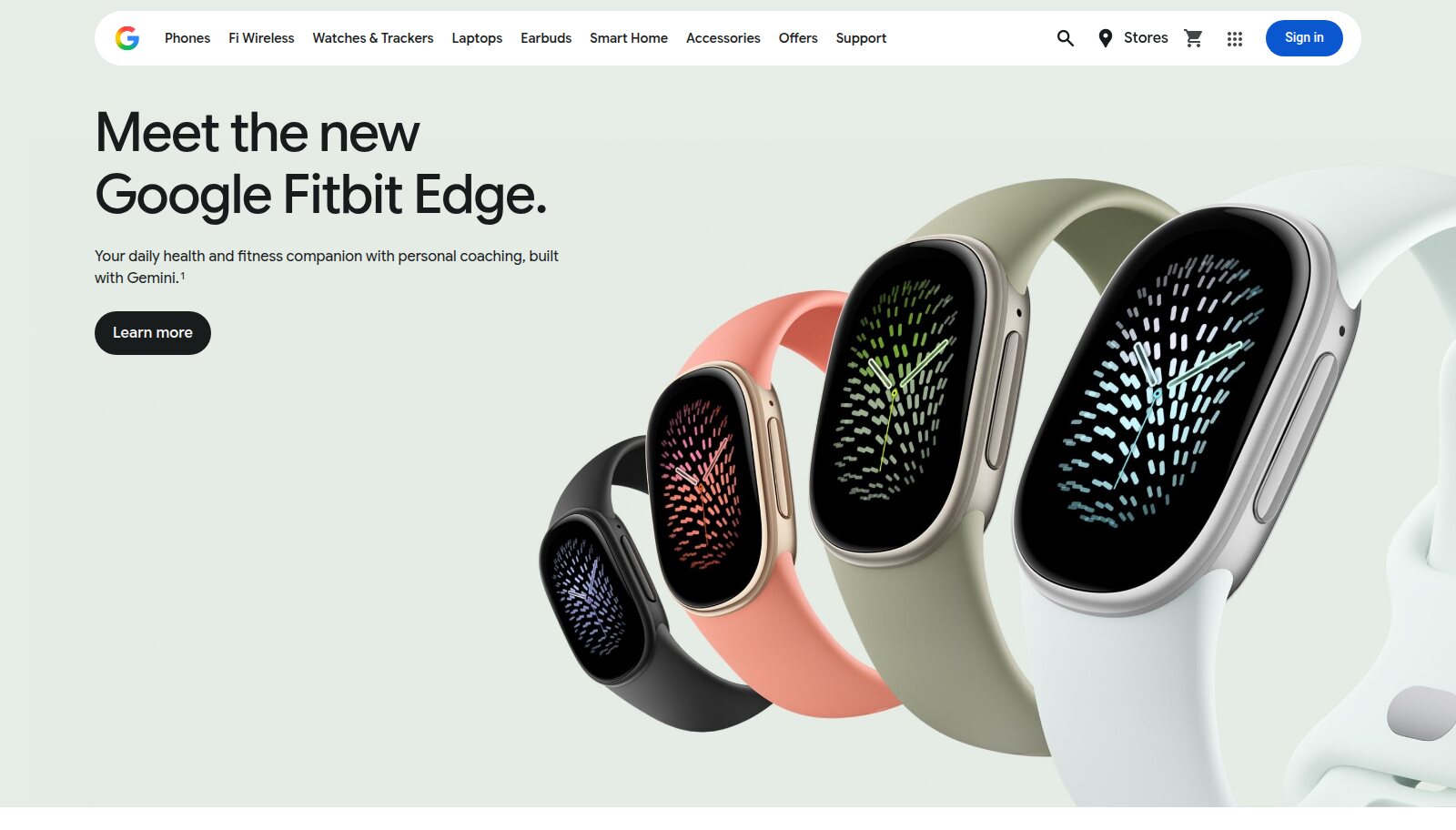
The Google Store: one headline, one sentence, one button. Image: store.google.com.
Meta: Space Without the White
White space does not have to be white, and Meta's product pages show that well. The hero for Meta's glasses is a full-bleed photograph with very little on top of it: a large headline, a short line of copy and two buttons. The photography is doing the work, and the layout gets out of its way.
This is the same principle in a different costume. The image acts as the negative space. Because there are so few elements competing with it, the photograph carries the emotion, and the type simply names what you are looking at.

Meta: full-bleed imagery as negative space, with minimal type on top. Image: meta.com.
None of these companies is short of things to say. They have simply decided that saying one thing well beats saying ten things at once.
Macro and Micro White Space
It helps to think about space at two scales.
Macro white space is the space around and between big blocks: page margins, the gap between sections, the room around a hero. It controls pacing. Generous section gaps slow the reader down and let each idea land before the next one arrives.
Micro white space is the space inside components: line height, letter spacing, the padding in a button, the gap between a label and its value. It controls readability. Most interfaces that feel "cheap" are not short on macro space; they are short on micro space. Tight line height, cramped buttons and labels jammed against their inputs.
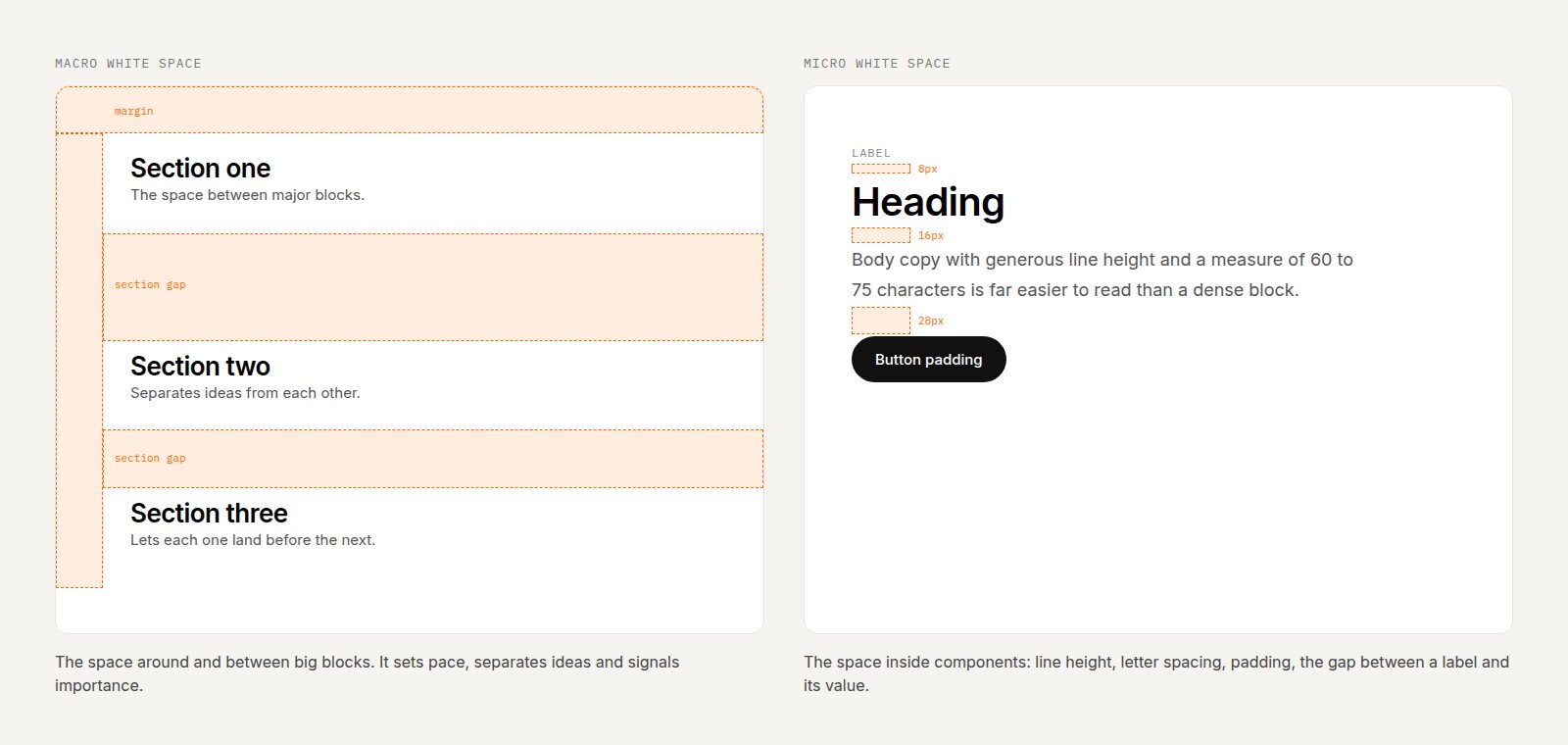
Macro space sets the pace. Micro space sets the readability.
How to Use White Space in Your Own Work
1. Decide the one thing
Before designing any screen, write down the single thing a person should take away from it. Everything else is supporting cast, and supporting cast can move further down, get smaller, or disappear.
2. Cut words before you cut space
When a layout feels crowded, the instinct is to shrink the gaps. Shrink the copy instead. A headline of five words beats one of fifteen. A paragraph that explains one idea beats three that explain everything. Writing less is the fastest way to get more space.
3. Use a spacing scale, and be generous at the top of it
Pick a scale (4, 8, 16, 24, 32, 48, 64, 96, 128) and use only those values. Small steps for related items, big steps for separate ideas. Most people's instinct for section spacing is about half of what actually looks good. Try doubling it.
4. Let type breathe
Body text needs a line height of around 1.5 to 1.7 and a line length of roughly 60 to 75 characters. Large headlines can go tighter. These two settings alone will make a page feel more expensive.
5. Group with space, not boxes
Before adding a border, a card or a divider, try separating things with space alone. Elements that are close together read as a group. You often do not need the box at all.
6. One primary action per view
The crowded page above has four brightly coloured buttons, so none of them stands out. Give each screen one primary action, make it obvious, and let the space around it do the pointing.
When Less Is Not More
White space is not a rule to apply everywhere. Dashboards, data tables, trading apps and professional tools often need density, because their users are experts scanning large amounts of information quickly. Spreading a spreadsheet across three screens is not elegant; it is unhelpful.
The principle is not "use lots of space". It is "use space on purpose". On a marketing page that means room to feel something. In a tool, it means precise, consistent spacing that makes density readable.
Confidence Is a Design Choice
The most premium thing an interface can do is trust its own message enough to say it once, clearly, and then stop. Apple, Google and Meta can afford to fill every pixel. They choose not to.
Next time a design feels off, try removing something before you add anything. More often than not, the answer was already there, just buried.