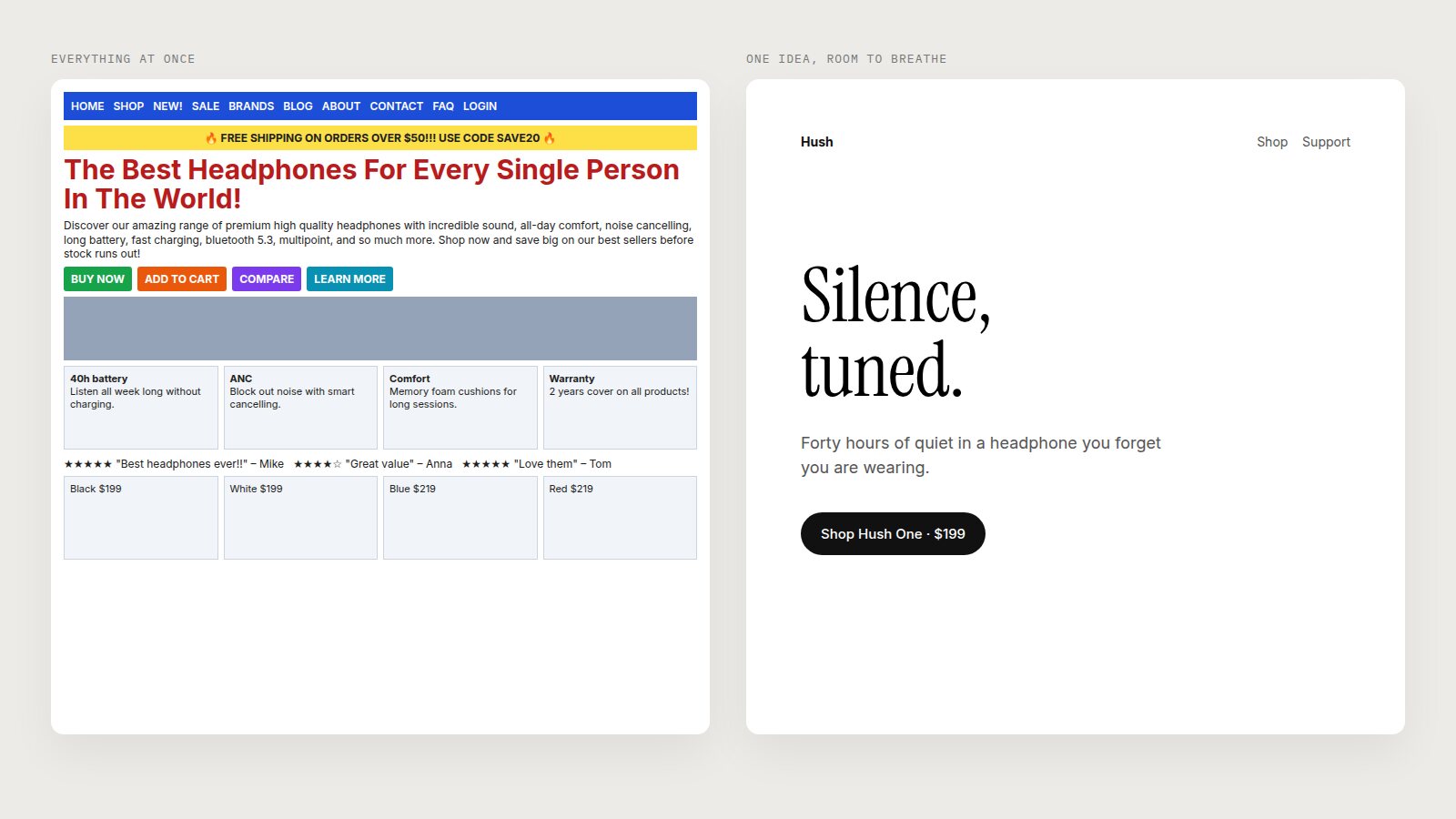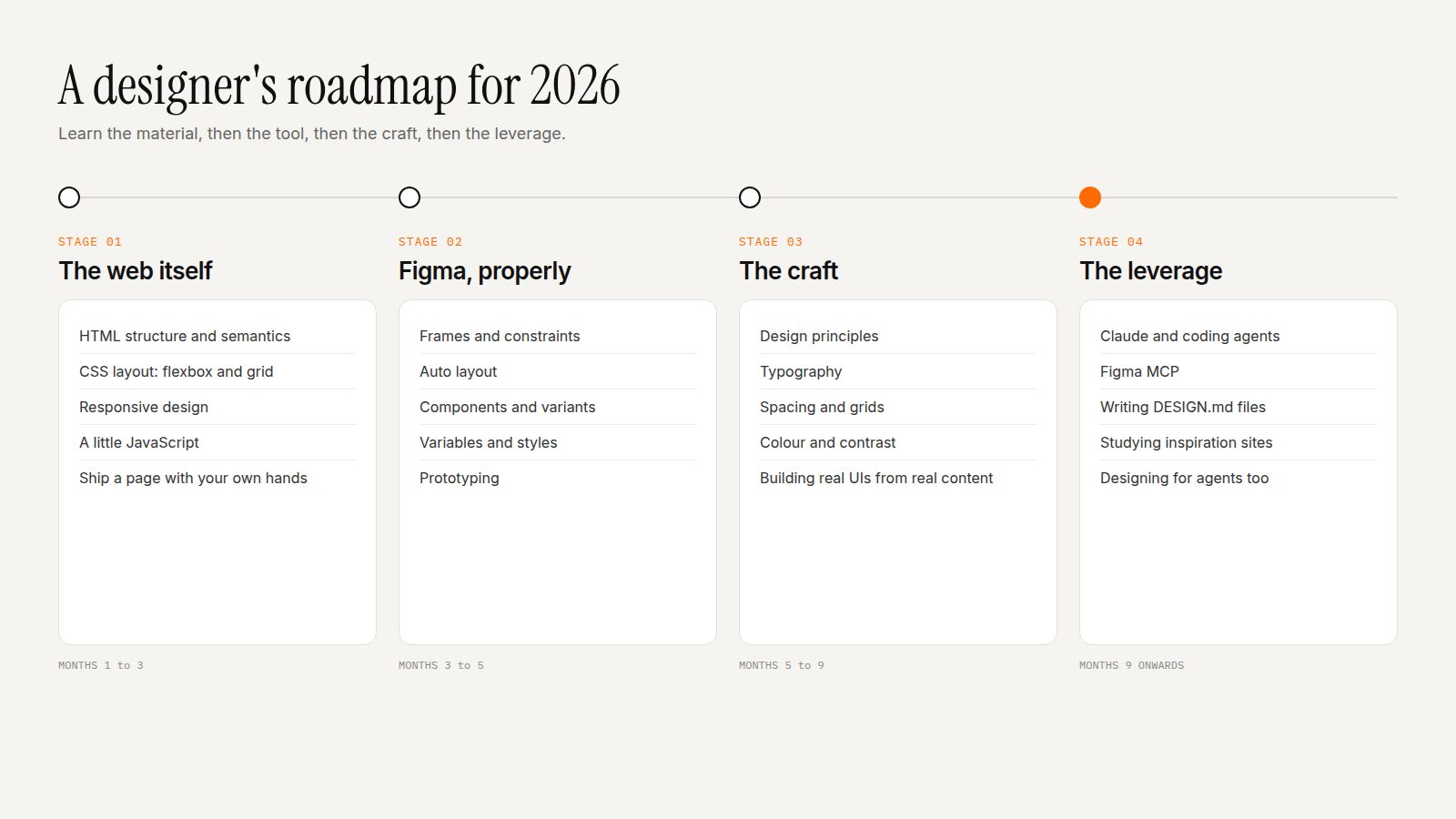

The Design Principles I Return to on Every Project
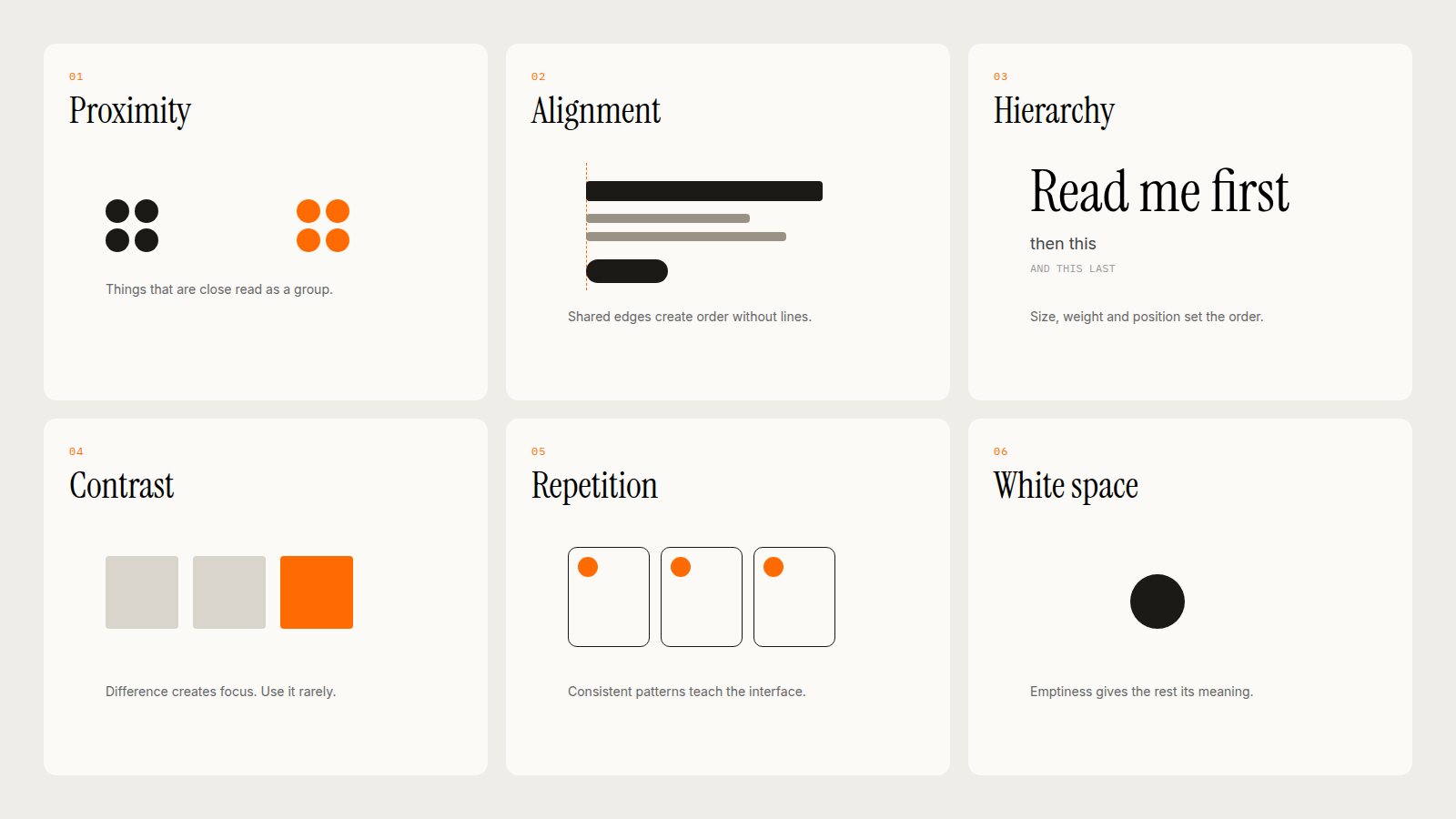
Tools change every year. The principles underneath good design have barely changed in a century.
Figma will be different next year. The AI tools will be unrecognisable. But the reasons a layout feels calm or chaotic, clear or confusing, premium or cheap, come down to a handful of ideas that typographers and graphic designers worked out long before screens existed.
When a design is not working and I cannot say why, I go through these six, in this order. Nine times out of ten, one of them is the answer.
1. Proximity: Things That Belong Together Sit Together
Our eyes group elements that are close to each other. That means spacing is not decoration; it is information. A label should be closer to its input than to the input above it. A card's title should be closer to its description than to the next card.
The most common mistake I see is even spacing everywhere. When every gap is 16px, nothing is grouped, and the page reads as a list of unrelated parts. Use small gaps inside a group and larger gaps between groups. Often this removes the need for borders and dividers entirely.
Quick test: blur your eyes (or the screenshot). The clumps you see should match the groups you meant.
2. Alignment: Shared Edges Create Order
Every element on a page should line up with something else. When text, images and buttons share a left edge, the page feels organised even if there is a lot on it. When things are almost aligned, a few pixels off, it feels sloppy, even if the viewer cannot say why.
Use a grid. Pick a small number of edges and stick to them. Be suspicious of centre alignment for anything longer than a line or two; left-aligned text gives the eye a consistent place to return to.
3. Hierarchy: Tell People What to Read First
Every screen has a reading order whether you design one or not. Hierarchy is deciding that order on purpose: the most important thing first, then the next, then the details.
You create hierarchy with size, weight, colour, position and space. The trick is to use as few of these as possible. A headline that is bigger and bolder and coloured and underlined is not more important; it is just louder. Usually one or two levers are enough.
A useful limit: most screens need no more than three levels of text. A headline, body copy, and small supporting text. If you find yourself inventing a fifth size, the content probably needs restructuring, not more styles.
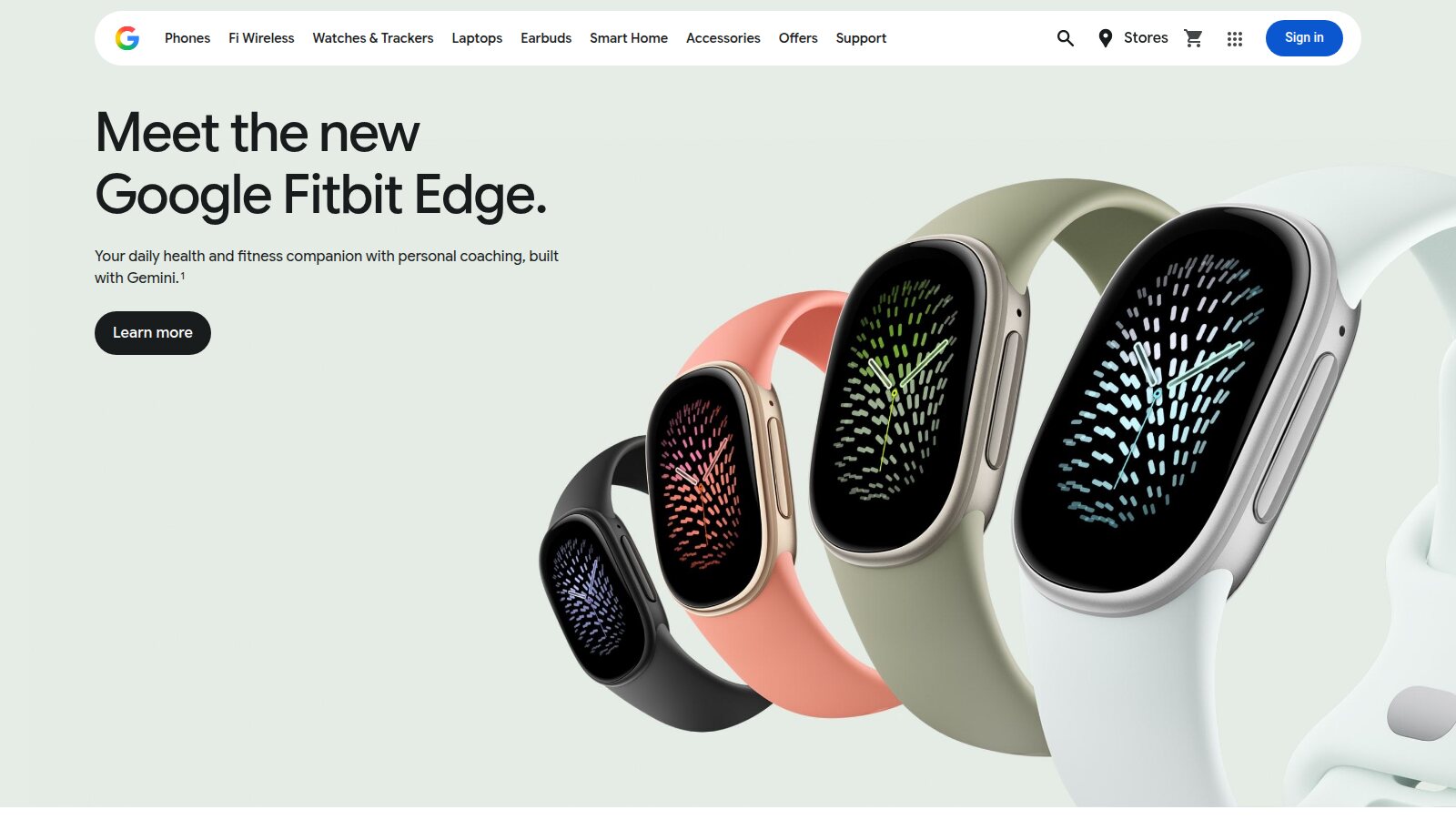
Clear hierarchy: one headline, one sentence, one action, one product. Image: store.google.com.
4. Contrast: Difference Creates Focus
Contrast is how you make something stand out: a bright button on a calm page, a bold word in a light sentence, a large image among small ones. It only works if it is rare. When everything is emphasised, nothing is.
Contrast also has a practical side: text must be readable against its background. Aim for at least 4.5:1 for body text, as the WCAG accessibility guidelines recommend. Light grey text on white might look elegant in a mockup, but it fails real people on real screens in sunlight.
My rule of thumb: one accent colour, used for the one thing you most want people to do.
5. Repetition: Consistency Teaches the Interface
When the same kind of thing always looks the same, users learn it once and recognise it everywhere. Every primary button looks identical. Every card has the same structure. Every page title sits in the same place.
Repetition is what makes a set of screens feel like one product. It is also what design systems exist to protect. Before creating a new component, ask whether an existing one can do the job. Every variation you add is something users have to learn.
Repetition is not the same as monotony. A consistent system leaves room for one deliberate moment of surprise, and that moment lands harder because everything around it is predictable.
6. White Space: Emptiness Gives Everything Else Meaning
White space is the principle that makes all the others work. Proximity needs space to separate groups. Hierarchy needs space so the important thing can stand alone. Contrast needs a calm background to stand out against.
The practical takeaway: when you are trying to communicate a topic, do not crowd the page. Fewer words, fewer elements, more room. Say one thing per section, and let it breathe. I wrote a whole piece on this: Less Is More: How White Space Makes Interfaces Feel Premium.
Crisp and clean is not a style. It is what happens when every element on the page has earned its place, and everything else has been removed.
Putting Them Together: A Checklist
When a screen is not working, I run through these questions in order:
- What is the one thing this screen is for? If I cannot answer in a sentence, no amount of visual polish will fix it.
- Can I cut anything? Words, buttons, decorations, whole sections. Removing is almost always the first improvement.
- Are related things grouped by space? Tighten inside groups, open up between them.
- Does everything line up? Fix the near-misses.
- Is the reading order obvious? Squint. What do you see first, second, third?
- Is the accent rare? One primary action, one accent colour.
- Is it consistent? Same things should look the same everywhere.
- Is it readable? Check contrast, line height and line length.
Why Fundamentals Matter More in the AI Era
AI tools can now generate a polished-looking interface in seconds. What they cannot reliably do is decide what matters. They tend to add rather than remove, emphasise everything equally, and default to the same layouts. That is exactly the kind of work these principles exist to correct.
The designers who will thrive are not the ones who can produce screens fastest. They are the ones who can look at a screen, any screen, and say exactly why it works or why it does not. These six principles are where that eye starts.