
Picking Fonts for the Web: Where I Look Before I Choose a Typeface
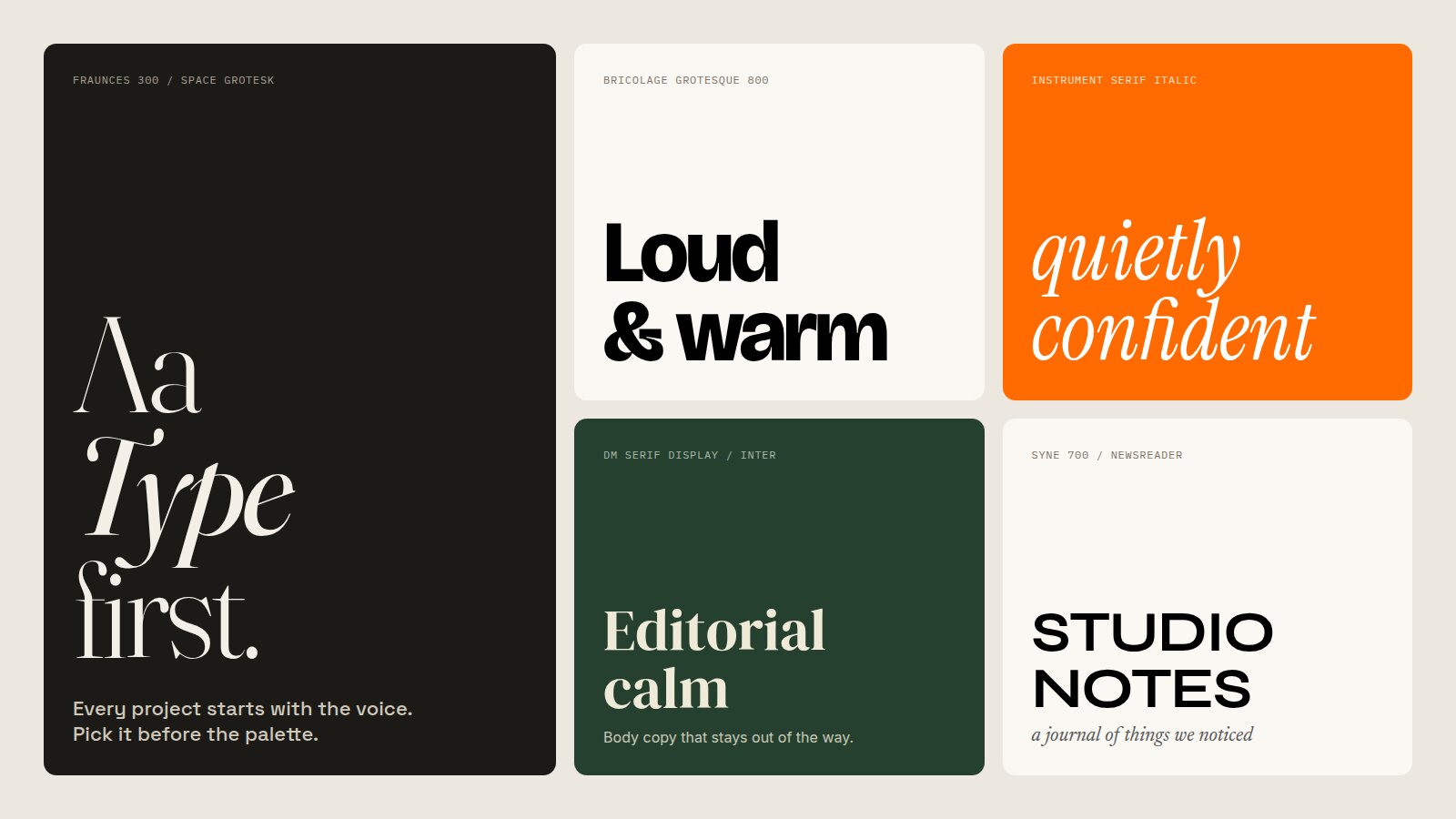
Before I open Figma on a new project, I pick the type. Everything else in the art direction follows from that one decision.
Colour can change late in a project without much pain. Layouts get reworked all the time. But the typeface sets the voice of the whole product. It decides whether a fintech app feels like a bank or a friend, whether a portfolio reads as a studio or a student. Get it wrong and every other decision is fighting it.
The problem is that most people pick fonts by scrolling a list of names until something looks nice in isolation. That almost never works, because a typeface on its own tells you very little. What you need to see is how it behaves in a real interface, at real sizes, next to real content. So before I commit, I go looking for evidence. This is the process I use, and the places I look.
Start With Words, Not Fonts
Before I look at a single specimen, I write down three adjectives for how the product should feel. Not "modern" or "clean", which describe nearly every website on earth, but words with some tension in them. "Precise but warm." "Editorial, unhurried, a little strange." "Loud, friendly, confident."
Those words become the filter for everything that follows. When I am browsing hundreds of sites, I am not asking "do I like this?" I am asking "does this feel precise but warm?" It turns taste into a brief, and it gives you a way to explain your choice to a client who just wants to know why you did not use the font from their old website.
I also note the practical constraints up front: which languages need to be supported, whether the product is data-heavy (and therefore needs good tabular numerals), whether there is a licensing budget, and whether the type has to work in a native app as well as on the web.
Refero: Type in Real Product Interfaces
Refero is the first place I go for anything product-shaped. It is a library of real screens and flows from hundreds of shipped web and iOS products, and you can search and filter it by font, colour, page type, UX pattern and UI element. That font filter is the part that matters here.
Marketing sites flatter typefaces. Product UIs expose them. When I filter Refero by a typeface I am considering, I get to see how it holds up in a settings page, a pricing table, an empty state, a dense dashboard full of numbers. Does it stay legible at 13px? Do the numerals line up in a table? Does the bold weight feel heavy-handed in a button? You learn more about a typeface from ten of these screens than from any specimen page.
It works the other way round too. When I find a screen whose typography I love, Refero tells me what it is set in, which saves a lot of detective work.
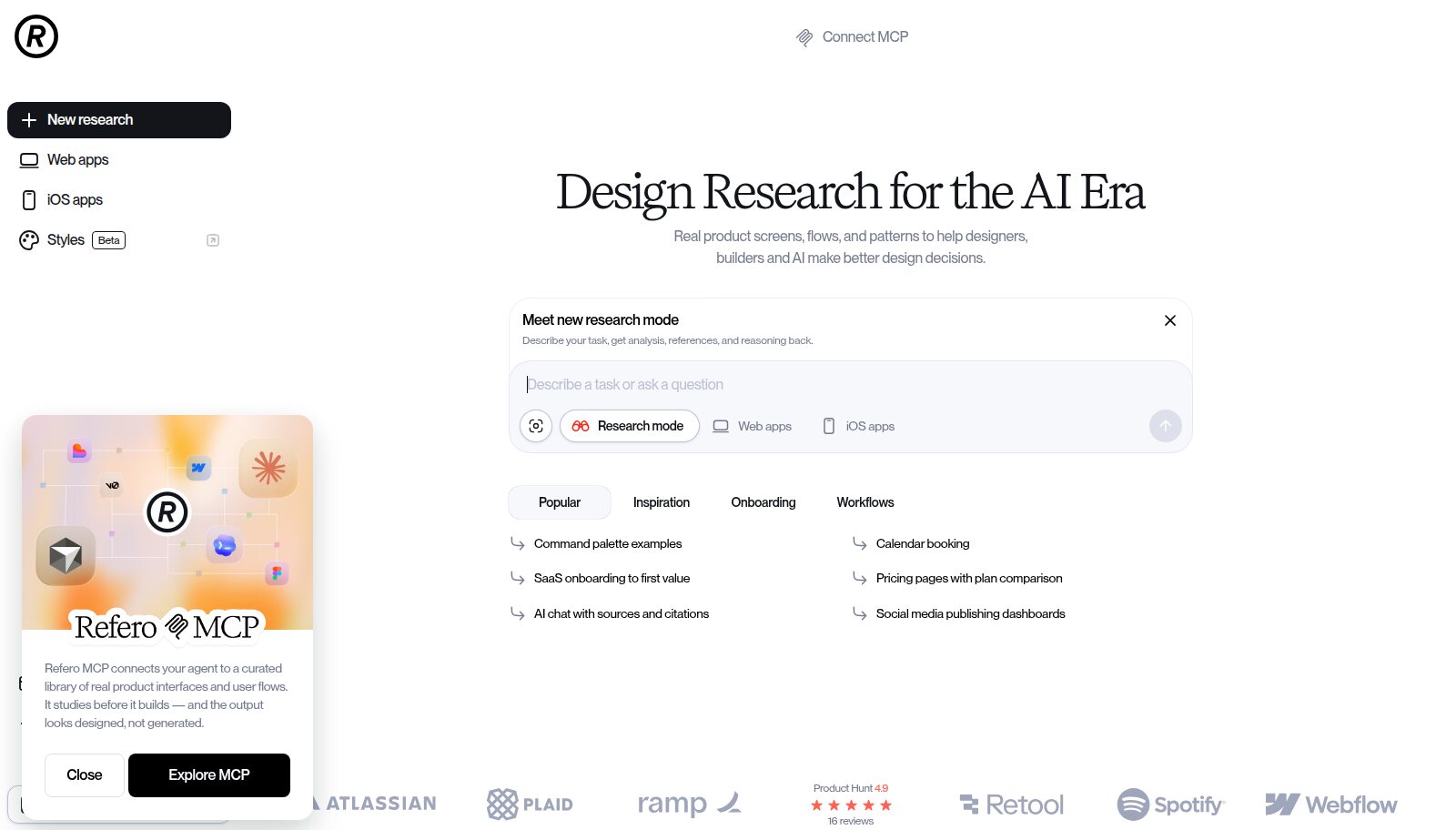
Refero: real product screens, flows and patterns, searchable by font. Image: refero.design.
Curated: How Your Industry Already Sounds
Curated is a hand-picked gallery of live websites, sorted by industry and style: agencies, AI, finance, e-commerce, portfolios, developer tools and more. I use it differently from Refero. Here I am trying to understand the typographic landscape of the category my client is entering.
Filter by Finance and you will see a wall of geometric sans serifs. Filter by AI and you will find a surprising number of editorial serifs, because a lot of AI companies are trying to feel more human. Once you can see the default for an industry, you can make a conscious choice: fit in, so users immediately know what kind of product this is, or break away, so it is remembered. Both are valid. Doing it by accident is not.
Because every entry on Curated is a live site, you can click straight through and inspect the real thing. That matters for typography, because screenshots hide how type renders, how it scales on mobile, and how it moves.
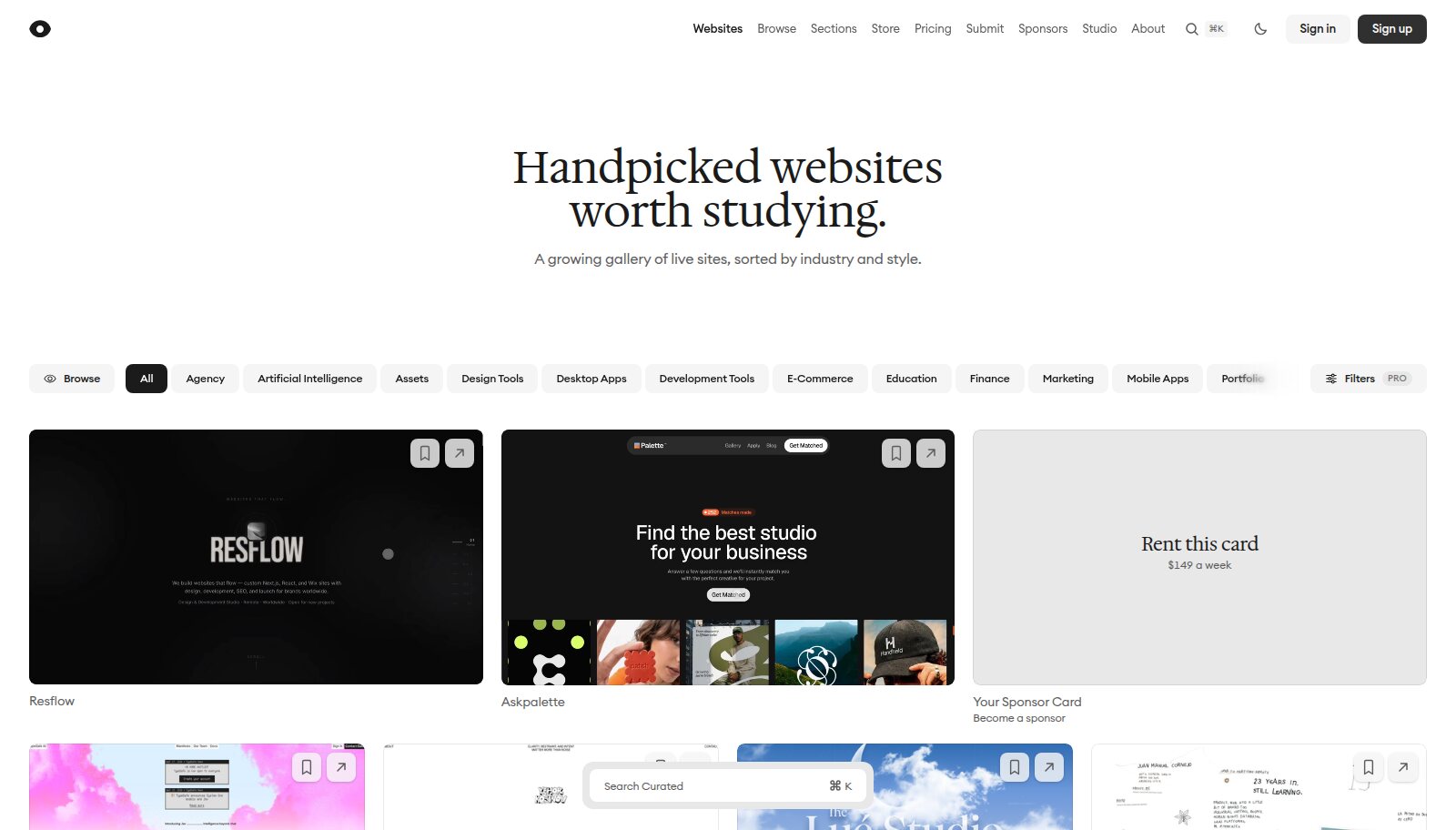
Curated: hand-picked live sites, sorted by industry and style. Image: curated.design.
Fonts In Use: The Range of a Typeface
Fonts In Use is an independent archive of typography in the real world, with close to 35,000 entries covering branding, books, posters, packaging, signage and websites. You can browse by typeface, by format, or by topic.
I use it to understand a typeface's range. Searching a single family shows it used by a museum, a skate brand, a law firm and a record label. That tells me whether the font has a fixed personality or whether it is a chameleon that will take on the character of whatever surrounds it. Chameleons are great for products that need to grow into many sub-brands. Strong personalities are great when the type has to do most of the brand's work.
It is also the best antidote to only looking at other websites. Some of the most interesting web typography I have done started from a book cover or a gig poster.
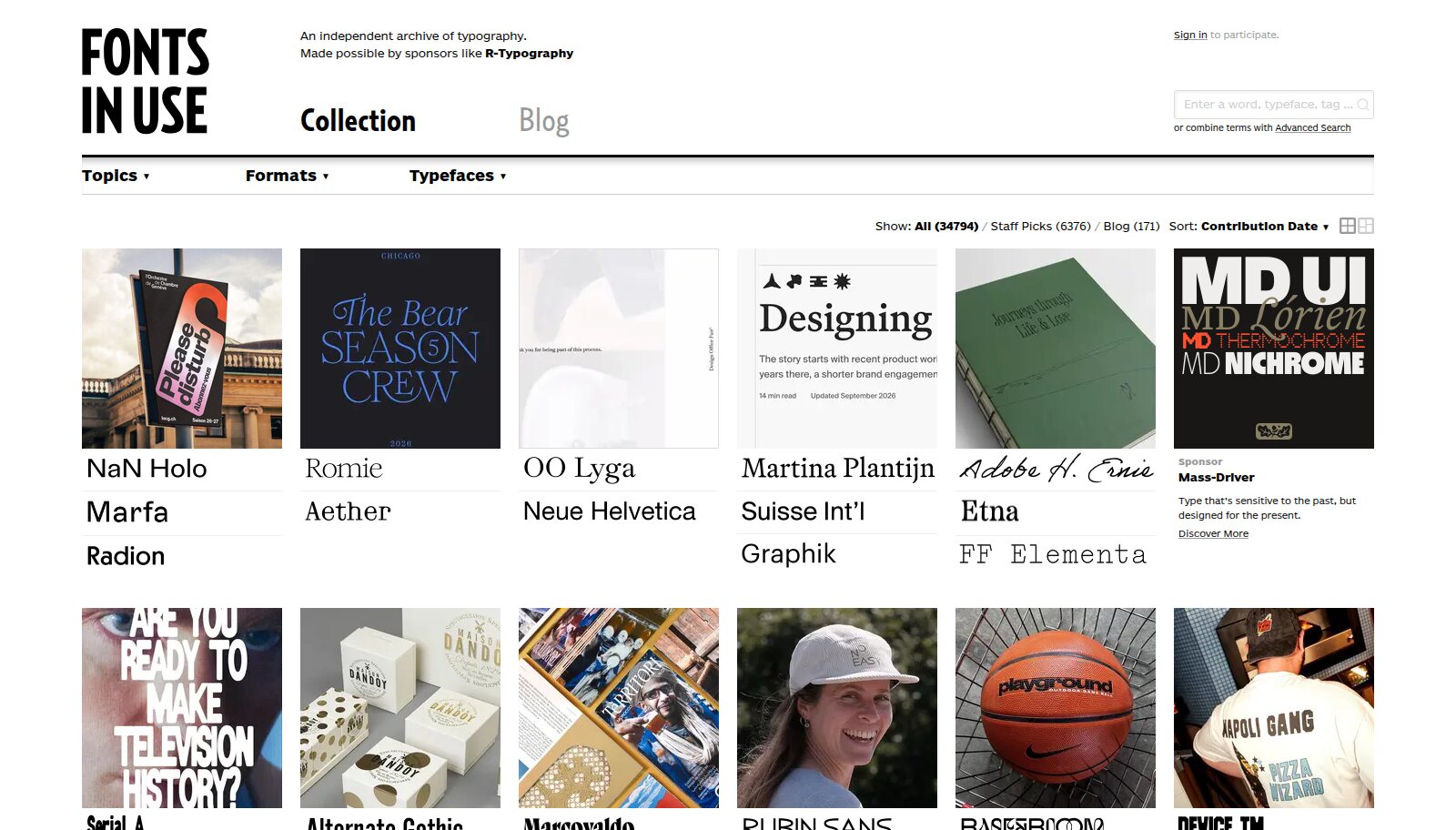
Fonts In Use: an archive of typography across branding, print and the web. Image: fontsinuse.com.
Typewolf: What Is Trending, and Its Alternatives
Typewolf features a website every day and lists exactly which fonts it uses. Over time that builds a very good sense of what is current in web typography. Its lists are just as useful: alternatives to famous typefaces, the best free fonts, recommended pairings by classification.
The alternatives lists are where I spend most of my time. A client falls in love with a typeface that costs more than their whole web budget, and Typewolf usually has three credible options that hit the same note for a fraction of the price. It is also good at reminding you that trends are trends. If a typeface has been on the homepage every week for a year, that is worth knowing before you build a brand on it.
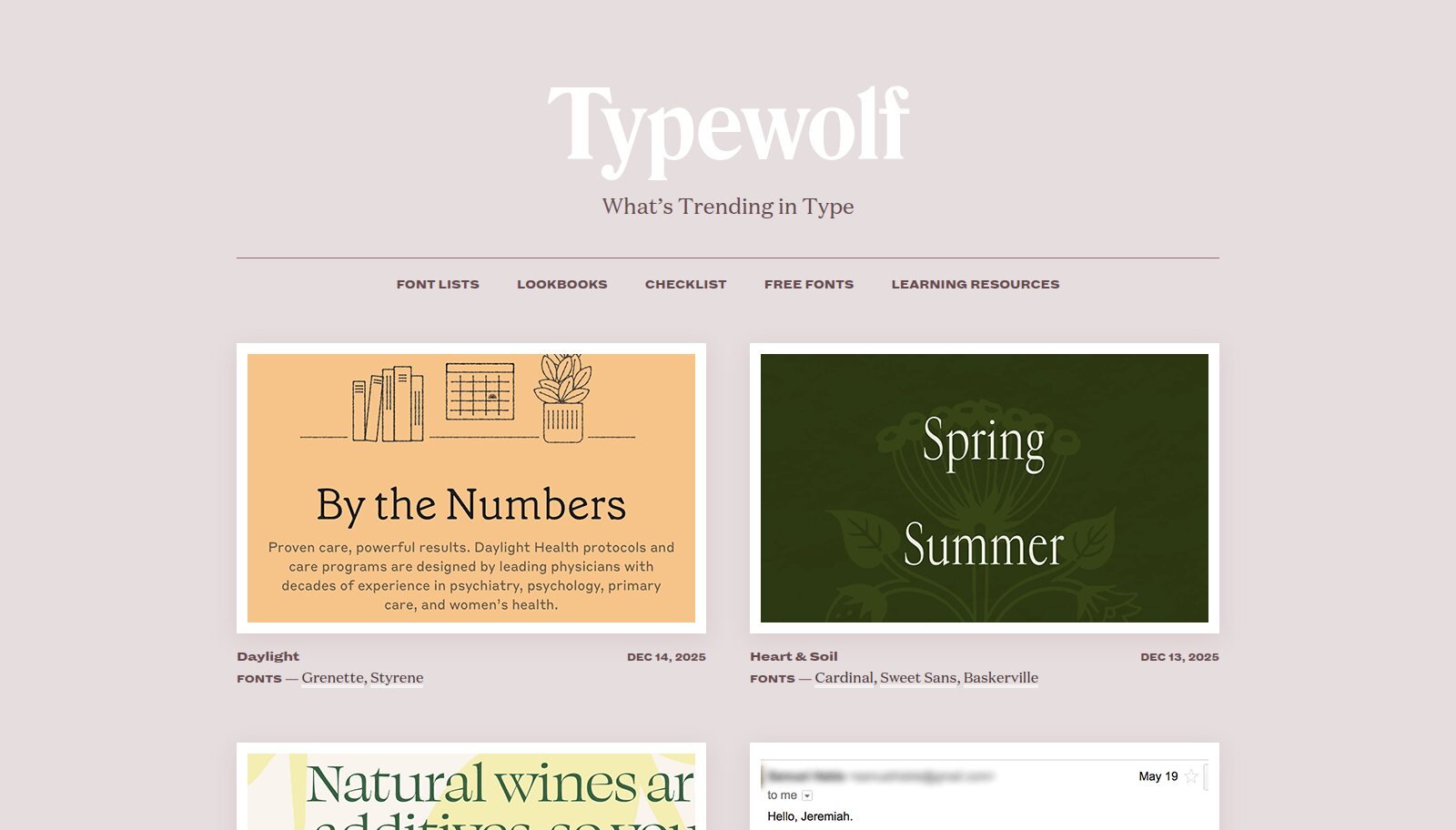
Typewolf: a daily site with the fonts it uses, plus curated lists. Image: typewolf.com.
Google Fonts: When Budget Is the Brief
Plenty of great products are set entirely in free fonts. Google Fonts now has nearly two thousand families, and its filters are better than people realise. You can filter by "feeling" (business, calm, playful, sophisticated and so on), by language support, and by technology such as variable fonts. Variable fonts in particular are worth prioritising, because one file can give you every weight you need and keeps the page fast.
The trap with Google Fonts is popularity. The most-used families are popular because they are good, but they are also the reason so many websites look the same. I treat the first page of results as a list of things to avoid unless I have a strong reason.
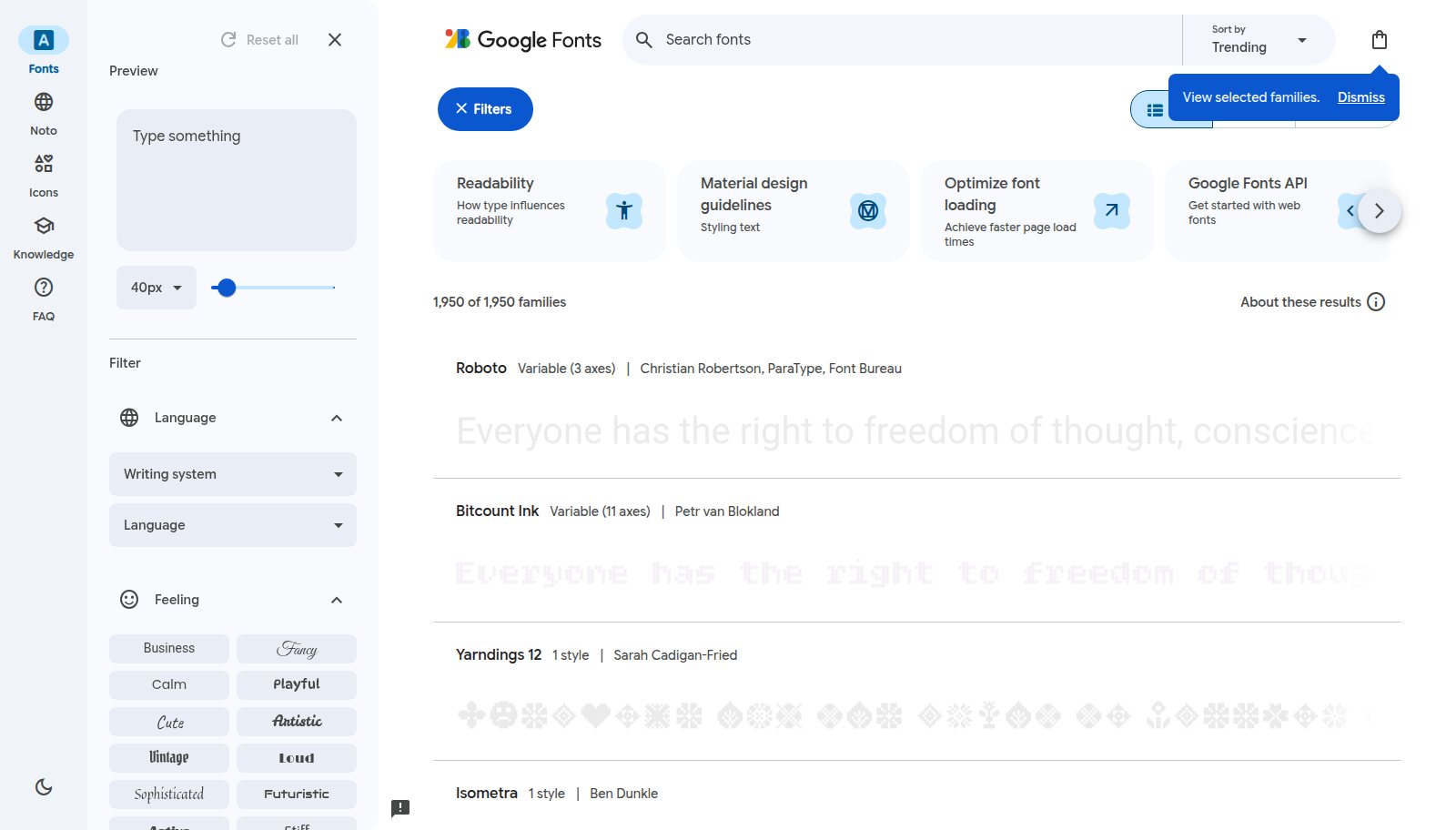
Google Fonts' filters for feeling, language and variable axes. Image: fonts.google.com.
A good rule: never judge a typeface on its own specimen page. Judge it in a context that looks like your project, then judge it again set in your actual content.
My Process, Start to Finish
1. Build a type moodboard
I spend an hour across these sites collecting screenshots of type I respond to, filtered through my three adjectives. I aim for about twenty references. I do not care yet whether they are affordable or available. I am collecting a feeling.
2. Identify what they are set in
For anything without a label, open the live site, right-click a heading and choose Inspect. In Chrome's DevTools, the Computed tab lists the rendered fonts at the bottom, which tells you what is actually being drawn rather than what the CSS is asking for. Browser extensions such as WhatFont do the same thing faster.
3. Look for the pattern
Lay the references side by side and look for what they share. Usually it is something structural: high contrast between thick and thin strokes, a narrow width, a tall x-height, a humanist warmth in the curves. That pattern is what you are actually looking for, and it widens your options well beyond the specific fonts you collected.
4. Shortlist three, and test them in your content
Take your real headline, a real paragraph, a real table of numbers and a real button label, and set them in each candidate. Look at it at mobile size and from across the room. Typefaces that looked identical on the specimen page will feel completely different here.
5. Pair with intent
If you are using more than one typeface, give each one a clear job. A display face for voice, a text face for reading, maybe a monospace for data or metadata. Pair for contrast in role but harmony in structure: similar x-heights and proportions make two very different typefaces feel like they belong together. If two fonts are doing the same job, you only need one.
6. Check the boring things
- Licensing: web, app and desktop licences are often sold separately. Check page-view limits and whether the licence covers a native app.
- Character set: every language you need, plus currency symbols, arrows and fractions if the product uses them.
- Numerals: tabular figures for tables and prices, proportional figures for running text.
- Weights: do you have a true medium for UI, or are you choosing between too light and too heavy?
- Performance: subset the files, prefer WOFF2 and variable fonts, and set a sensible
font-displayso text appears quickly.
Why This Matters More Now
With AI tools generating interfaces in seconds, the default typeface has become one of the clearest signs that nobody made a decision. The same handful of sans serifs at the same weights now appears on an enormous number of new websites. Type is one of the cheapest ways to make a product feel considered, and one of the fastest ways to show it was not.
The research takes an afternoon. It is the highest-leverage afternoon in the whole project.
The resources
refero.design
Refero: real product screens, searchable by font
curated.design
Curated: hand-picked live websites by industry
fontsinuse.com
Fonts In Use: an archive of typography in the world
typewolf.com
Typewolf: what is trending in type, and alternatives
fonts.google.com
Google Fonts: free and open-source families