

Designing for Apple HomeView: The Challenges of a Screen the Whole Family Shares
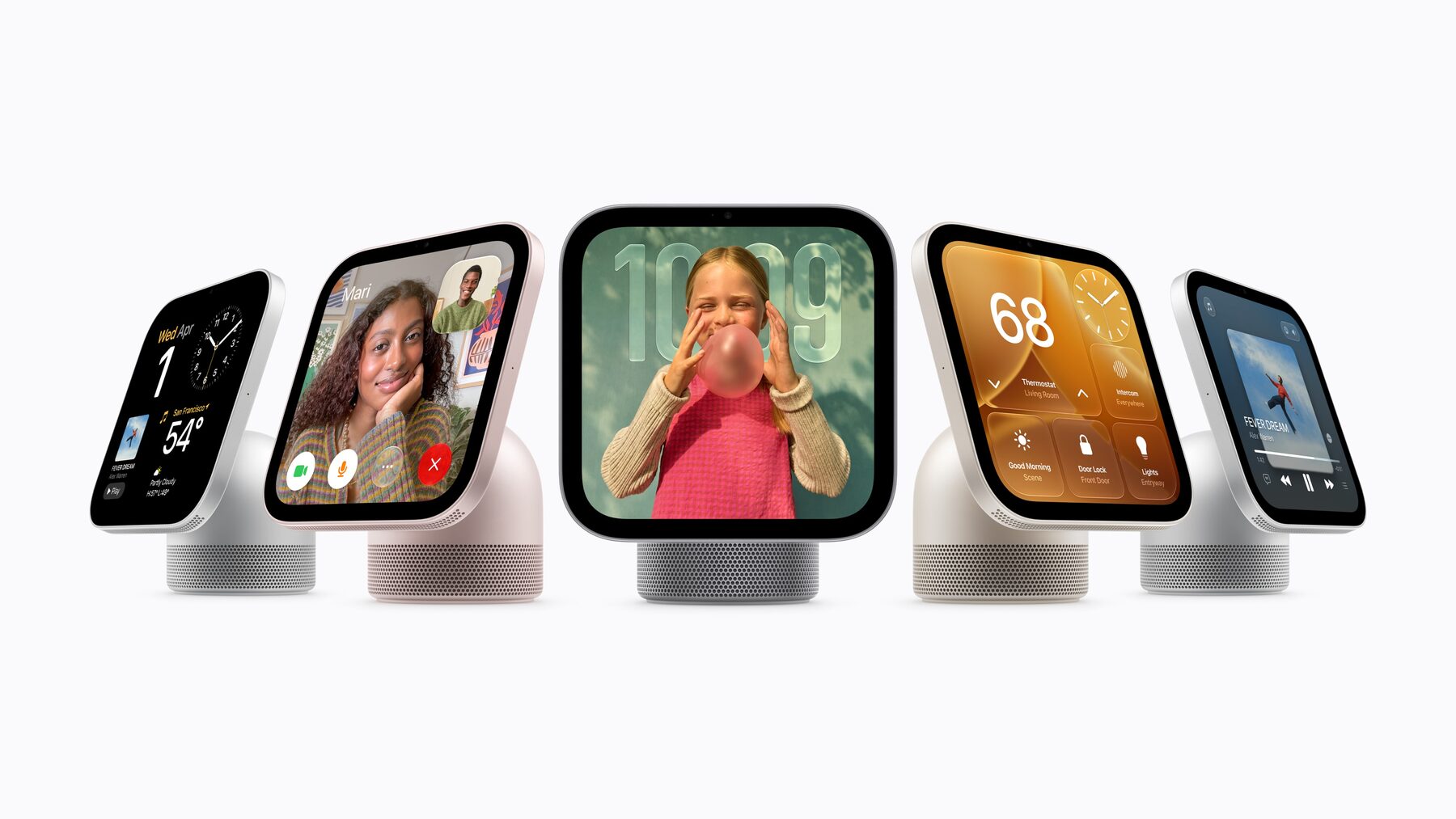
Every screen Apple has made so far belongs to one person. HomeView is the first one designed to belong to a household.
Apple announced HomeView today: a $299 smart home hub with a 7-inch square Liquid Retina display, Siri AI at its core, and a FaceTime camera with Center Stage. It comes as a tabletop model on a speaker base (silver, starlight, rose pink and space gray) and a flat wall-mounted version (space gray and silver). It ships on November 13, and is not launching in the EU.
The detail that matters most for designers is not in the spec sheet. It is this line from Greg Joswiak: HomeView "is designed to be shared by everyone in the home yet feel completely personal to each user. It recognizes your face to shift from a household screen to your own experience."
That one sentence describes a design problem nobody has fully solved. Here is how I think about it, the challenges I expect, and the opportunities I think designers should be chasing.
What HomeView Actually Does
- Display: 7-inch square Liquid Retina with True Tone, auto-brightness from 500 nits down to 0.3 nits at night.
- Identity: face recognition for up to six people, each with a personal Home Screen of apps and widgets. Shared content stays visible to the household and guests; personal content stays private.
- Faces: Photos, Flow, Snoopy, a Home Modular face for accessories, and a Home Camera face that can stream up to nine camera feeds.
- Siri AI: powered by Apple Intelligence, drawing on personal context from your iPhone, and able to take actions across apps.
- Household features: FaceTime, Intercom, recipes turned into step-by-step instructions, hands-free timers, shared albums and music, audio Handoff from iPhone.
- Smart home: Matter and Thread support, with LG reportedly shipping a range of accessories Apple helped design.
Reporting ahead of the launch also said HomeView would ship without its own App Store, running a limited set of Apple apps, with voice as the primary input and touch as secondary. That shapes almost everything below.
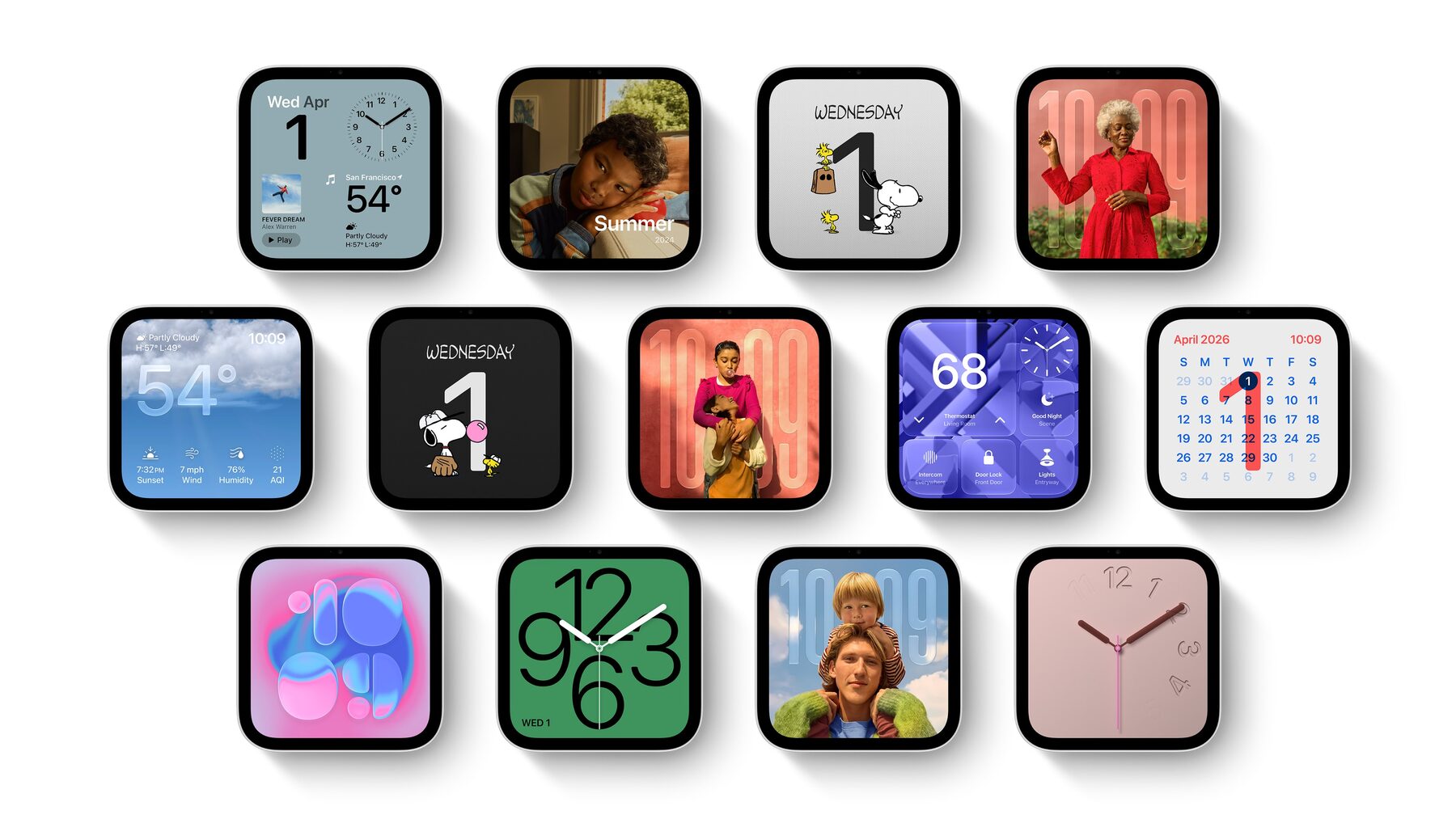
HomeView's faces: photos, clocks, weather, Snoopy, home controls and calendar. Image: Apple.
Challenge 1: An Interface Whose Owner Changes Mid-Glance
On a phone, the user is a constant. On HomeView, the user is a variable that changes every time someone walks into the kitchen. The interface has to move between three states: nobody recognised (household), one person recognised (personal), and several people in front of it at once.
That raises questions designers have rarely had to answer:
- What happens to a personal view when someone else walks up? If I am looking at my calendar and my teenager appears behind me, should the screen fall back to household mode? Instantly, or gently?
- How do you show whose view this is without making people feel watched? Every personal state needs a clear, calm indicator of who it belongs to.
- What leaks? A notification preview that is fine on my phone is not fine on a screen my in-laws can see. The default for anything personal has to be "less than you think".
- What about people who are not enrolled? Guests, babysitters, visiting relatives, younger kids who have not been set up. They need a complete experience, not a locked one.
The transitions between these states are the product. If they feel abrupt or mysterious, families will stop trusting the device. If they feel effortless, nobody will notice them, which is the goal.
Challenge 2: Designing for Across the Room
A phone is read at 30 centimetres. HomeView will be read at arm's length while cooking, and from three metres away while walking past. Those are different typographic problems, and the same seven-inch square has to solve both.
I expect the best HomeView experiences to be built on distance-based layouts: a glance state with one big piece of information (the time, the next event, the timer) that is readable from across the room, and a detail state that reveals itself as you approach. The proximity and presence sensing is what makes that possible. Designers who have worked on Apple Watch faces or tvOS will recognise the problem; the difference is that HomeView is both at once.
Contrast matters more than usual too. Kitchens are bright in the morning and dark at night, and the display ranges from 500 nits to 0.3. A design that looks good at noon needs a separate, deliberate night version, not just a dimmed one.
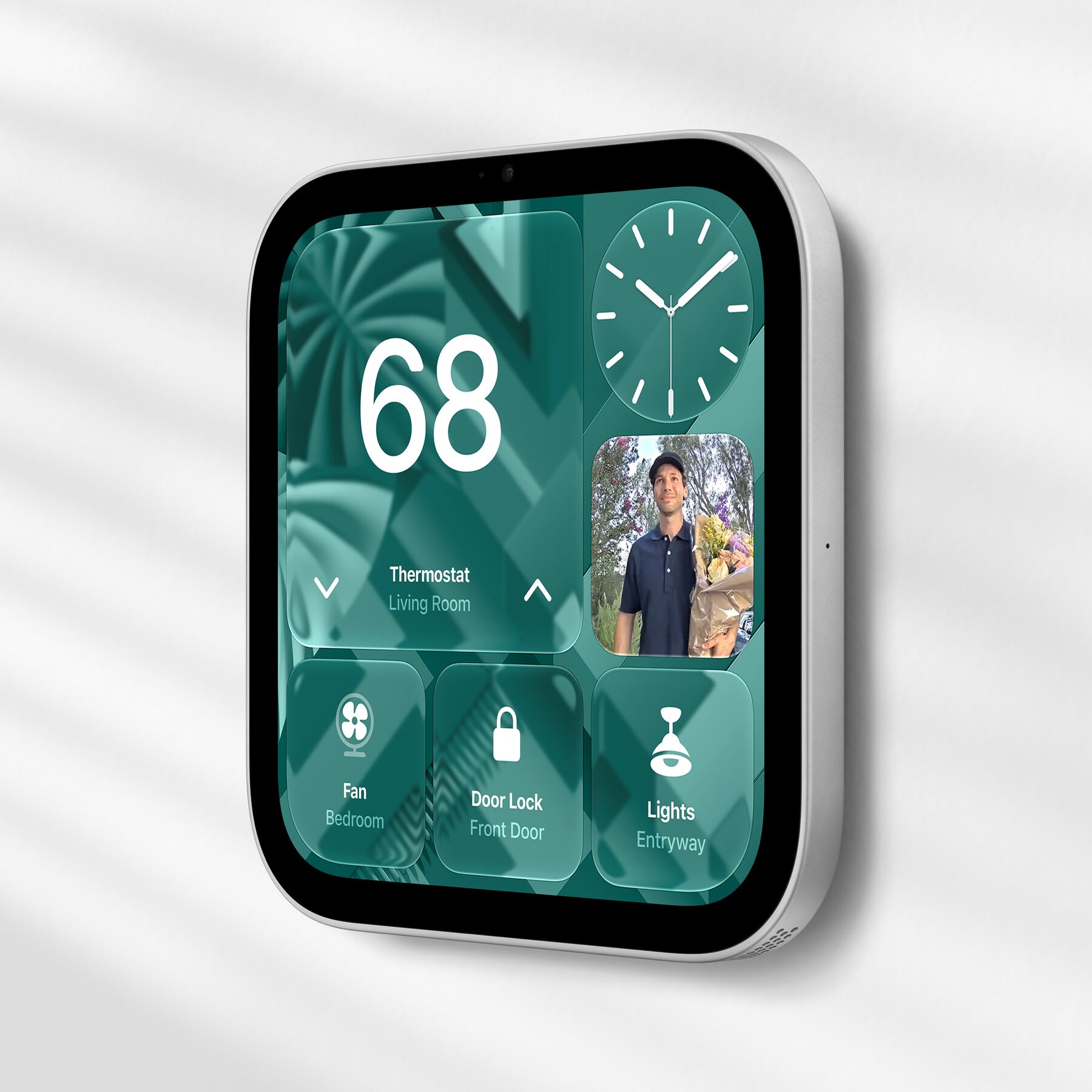
The wall-mounted HomeView. Image: Apple.
Challenge 3: Voice First, Touch Second
If voice is the primary input, the screen's job changes. It is no longer where you make decisions. It is where you confirm them. Ask Siri to turn the oven timer to twenty minutes, and the screen should show that it heard you correctly, at a size you can read with flour on your hands.
That means designing conversations and screens together, which most teams still do separately. Every voice action needs a visual receipt. Every touch control needs a spoken equivalent. And every screen should be usable without touching it, because in a kitchen, often you cannot.
It also changes how we think about error states. "Sorry, I didn't get that" on a screen everyone can see is a social moment, not just a UX one. A child asking for the same song for the eleventh time is a different design problem from an adult asking for their bank balance.
Challenge 4: A Square Canvas
HomeView's display is square. Almost every layout system we use assumes a rectangle with a dominant axis: tall on phones, wide on desktops and TVs. A square has no natural reading direction and no obvious place for navigation.
Apple's own faces give us the pattern: big, modular, widget-style compositions where each module is legible on its own. I think designers should treat HomeView less like a small iPad and more like a very large watch face. Fewer elements, larger targets, and layouts that work whether you are standing in front of it or slightly to one side.
Challenge 5: Always On, But Not Always Asking
Phones are designed to capture attention. A screen in the middle of family life cannot work that way. If HomeView buzzes and badges like a phone, it will end up face down in a drawer.
The right model is calm technology: information sits at the edge of attention and comes forward only when it matters. The Photos face is a good example. It makes the device part of the room instead of a demand on it. As designers, the question to ask about every feature is whether it earns the right to interrupt a family dinner. Most will not.
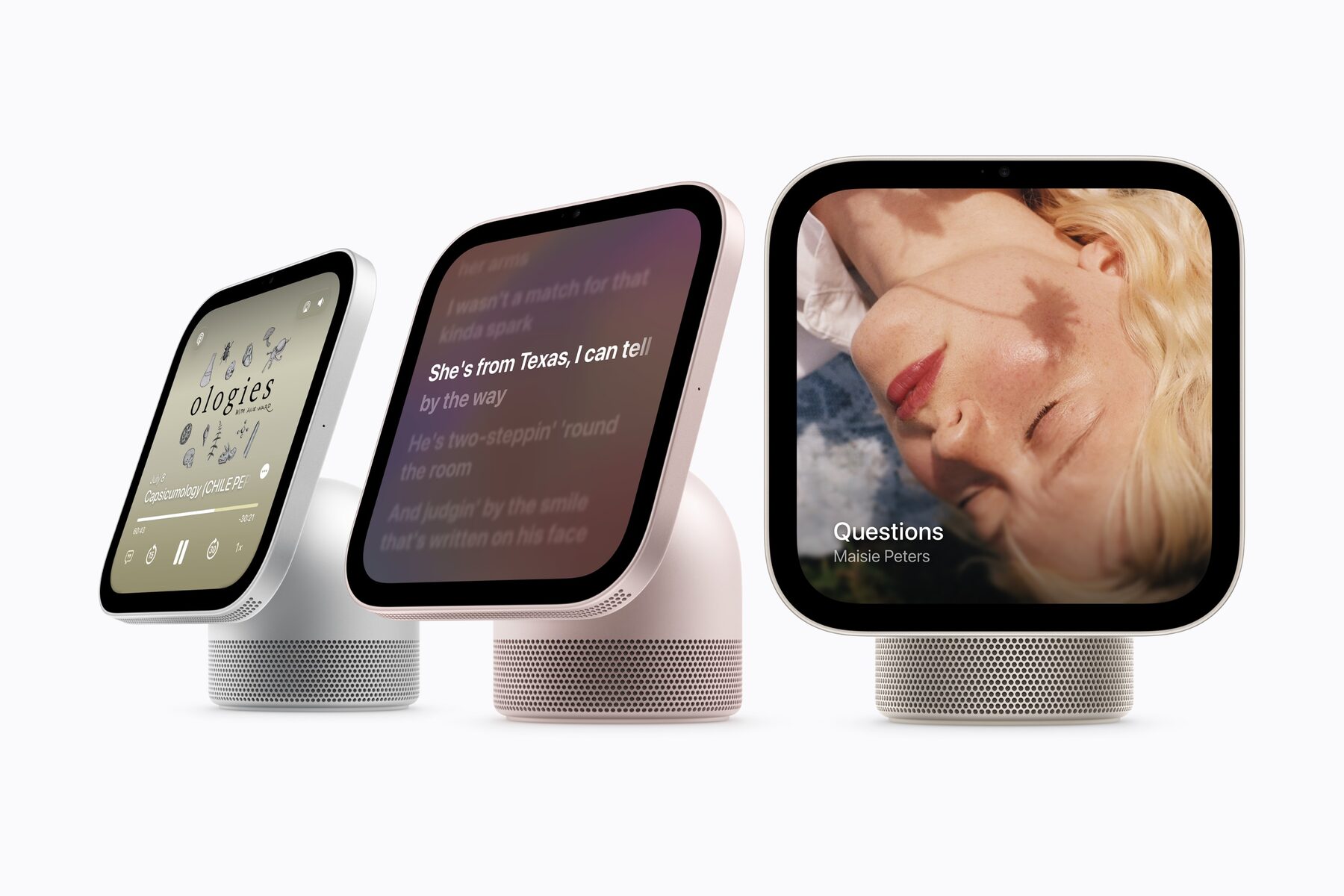
Music, lyrics and podcasts on HomeView. Image: Apple.
Challenge 6: Users From Four to Ninety-Four
A phone has one user whose abilities you can roughly predict. A household has a five-year-old who cannot read yet, a teenager who wants privacy above all, two adults juggling calendars, and a grandparent who visits on Sundays and has never used a smart display. They all share one device.
Accessibility here is not a settings screen. It is the baseline. Large type, icons that work without labels, spoken feedback, generous targets, and nothing that depends on knowing a hidden gesture. If it works for the grandparent and the five-year-old, it will work for everyone in between.
On a personal device, you design for a user. On HomeView, you design for a relationship: between family members, between guests and hosts, between parents and children. That is a new brief for most product teams.
Where Third-Party Designers Fit In
If HomeView launches without an App Store, most of us will not be designing "HomeView apps" on day one. That does not mean there is nothing to design. My bet is that the work moves to three places:
- Widgets. Reports suggested widgets from a nearby iPhone may be able to appear on HomeView. A widget designed for an iPhone home screen at arm's length will need a very different version to work on a kitchen counter.
- App Intents and Siri. If Siri AI can take actions across apps, then the actions your app exposes to Siri are its HomeView interface. Clear, well-named intents with good spoken and visual confirmations will matter more than any screen.
- Matter accessories. Anyone designing smart home products now has a screen in the home that can show their device's state. The quality of that experience depends on how well the accessory describes itself.
The Opportunity: Designing for Family Rituals
The most exciting thing about HomeView is not the hardware. It is that it gives designers a reason to think about the home as a shared space with its own routines. Some of the experiences I would love to see:
- Morning handoffs. The household view shows who needs to be where today, then each person gets their own detail as they walk up.
- Cooking together. Recipes that can be split between two people, with each step addressed to someone by name.
- Chores and allowances that kids can check off by voice, with progress the whole family can see.
- Family memory. Shared albums that surface the right photo at the right moment: a grandparent's birthday, the first day of school a year ago.
- Bedtime. A wind-down mode that dims the house, plays a story for the kids' room, and shows parents a calm summary of tomorrow.
- Calls that include everyone. FaceTime with Center Stage turns a call with grandparents into a kitchen-table conversation rather than a phone passed around the room.
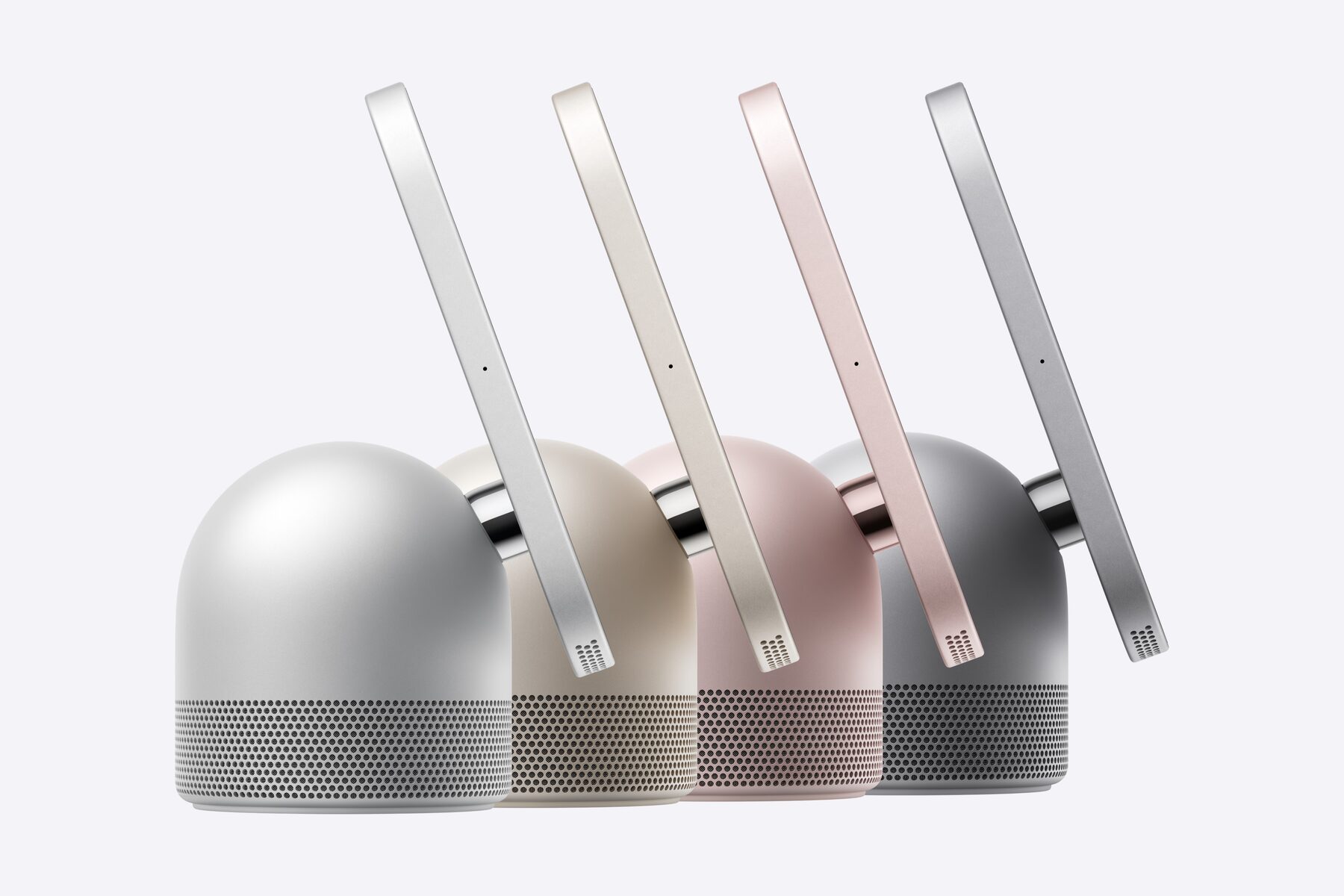
HomeView in silver, starlight, rose pink and space gray. Image: Apple.
A New Kind of Brief
For fifteen years, mobile design has optimised for one person, one screen, one thumb. HomeView asks for something different: an interface that is aware of who is in the room, readable from across it, controlled mostly by voice, and polite enough to live in the most private space people have.
The designers who do well here will be the ones who think less about screens and more about households. The device is only seven inches across. The context it lives in is the whole home.