

The iPhone Duo and the Design Problem Nobody Is Talking About
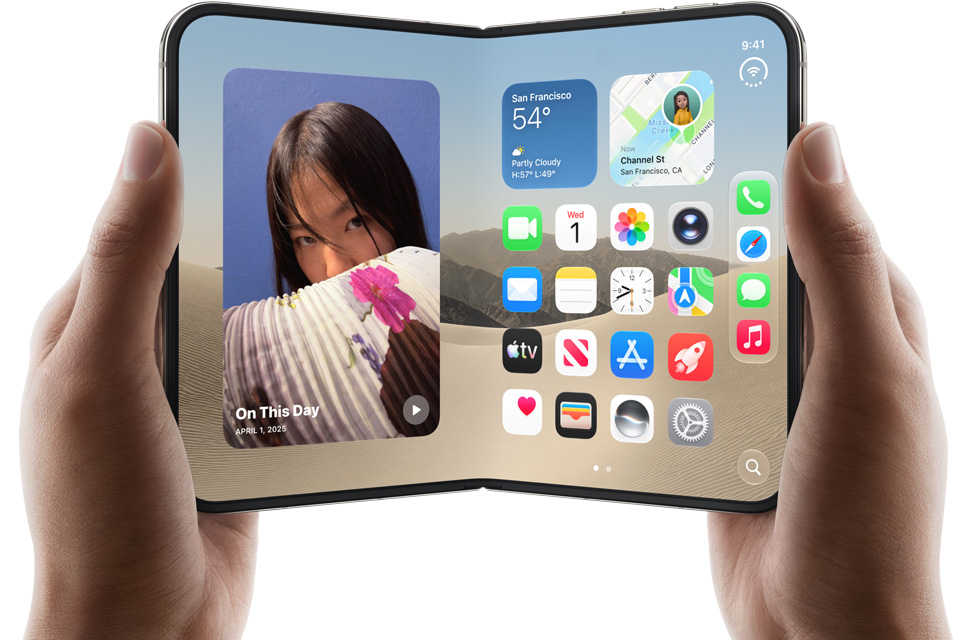
Apple just made every interface convention we have spent the last decade building feel like a rough draft.
The iPhone Duo is Apple's first foldable iPhone. A 7.6-inch inner display that unfolds from a 5.4-inch outer one. Grade 5 titanium frame. Nano-texture inner glass to cut glare. Two displays, one device, and a hinge that changes everything about how a person interacts with a phone.
The conversation in the tech press has focused almost entirely on the hardware: the fold, the crease, the battery life numbers, the cameras. What is not getting nearly enough attention is what this device means for the people who design digital experiences. Because the iPhone Duo does not just change the form factor. It breaks the design assumptions that have underpinned mobile UI for the past ten years.
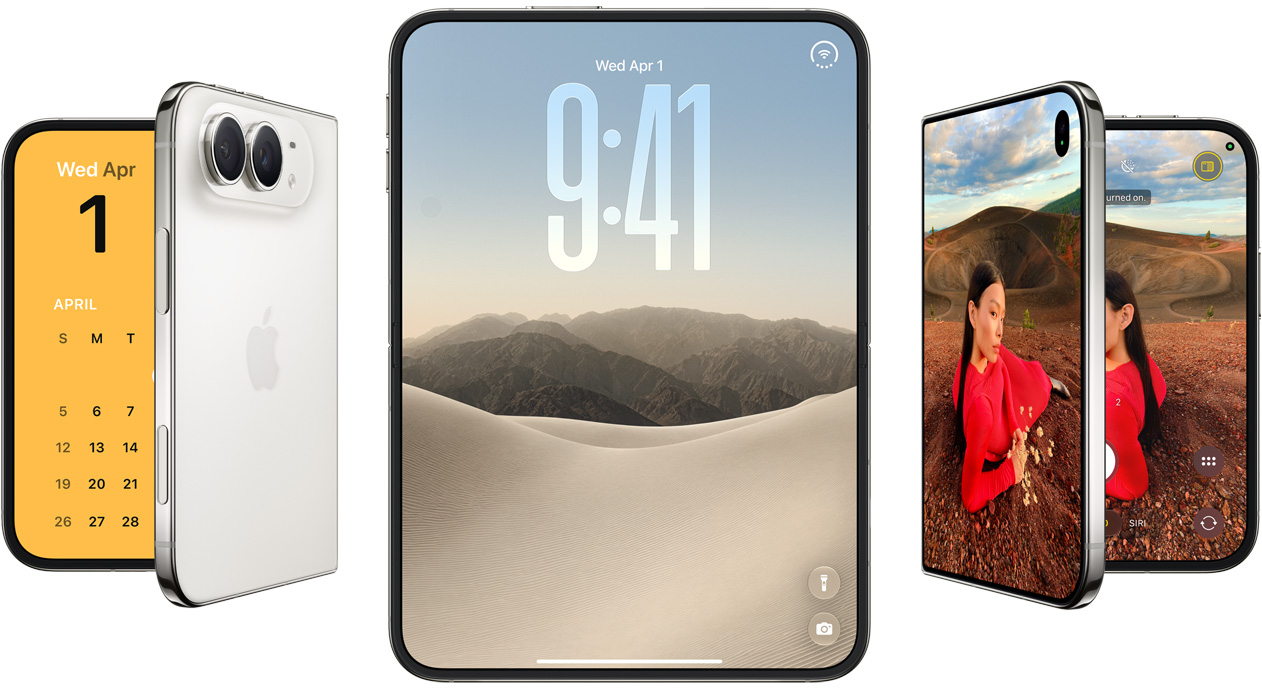
The iPhone Duo in Night Sky and Star White. Image: Apple.
The Problem With the Rectangle
Since the original iPhone in 2007, the design canvas for mobile has been a rectangle. A fixed-width, fixed-height screen that you hold in one hand, scroll vertically, and tap. That constraint, over nearly two decades, has produced an enormous body of knowledge. We know what a good navigation bar looks like. We know where to put a primary call to action. We know how much padding feels comfortable on a 390-point-wide screen. We know how typography scales. We know how gestures work.
Every mobile design pattern we rely on was built for that rectangle. Tab bars. Bottom sheets. Pull-to-refresh. Floating action buttons. Card stacks. All of it is optimised for a single screen, held in portrait, with a thumb that can only reach so far.
The iPhone Duo has two screens and multiple states. It can be closed, partially open, fully open in portrait, fully open in landscape, propped up like a tent, or standing like a laptop. Each of those states represents a fundamentally different interface context. And users will move between them fluidly, mid-task, without thinking twice.
We built a decade of design conventions for a rectangle. The Duo is asking us to design for a shape that changes.
Michael Damoah
What Two Displays Actually Demand
The outer display on the iPhone Duo is 5.4 inches. It is roughly the size of an early iPhone SE. It is the glanceable, one-handed, quick-interaction surface. The inner display is 7.6 inches. It is a tablet. The largest display Apple has ever shipped on a phone.
A user who opens your app on the outer display and then unfolds to the inner one should experience a continuation, not a reload. The content should reflow. The hierarchy should adapt. The context should be preserved. That sounds simple. It is not. Most current apps are not built to handle this. The ones that are will feel native to the Duo. The ones that are not will feel broken.
Apple introduced Split View multitasking to take advantage of the inner display. Two apps, side by side, on a phone. This is a capability that designers have had to think about on iPad for years, but only a fraction of iOS developers have invested in it. On the Duo, ignoring it is not really an option. A 7.6-inch screen running a single phone-width column of content looks embarrassing. The design debt of ignoring large-screen layouts is about to become very visible.
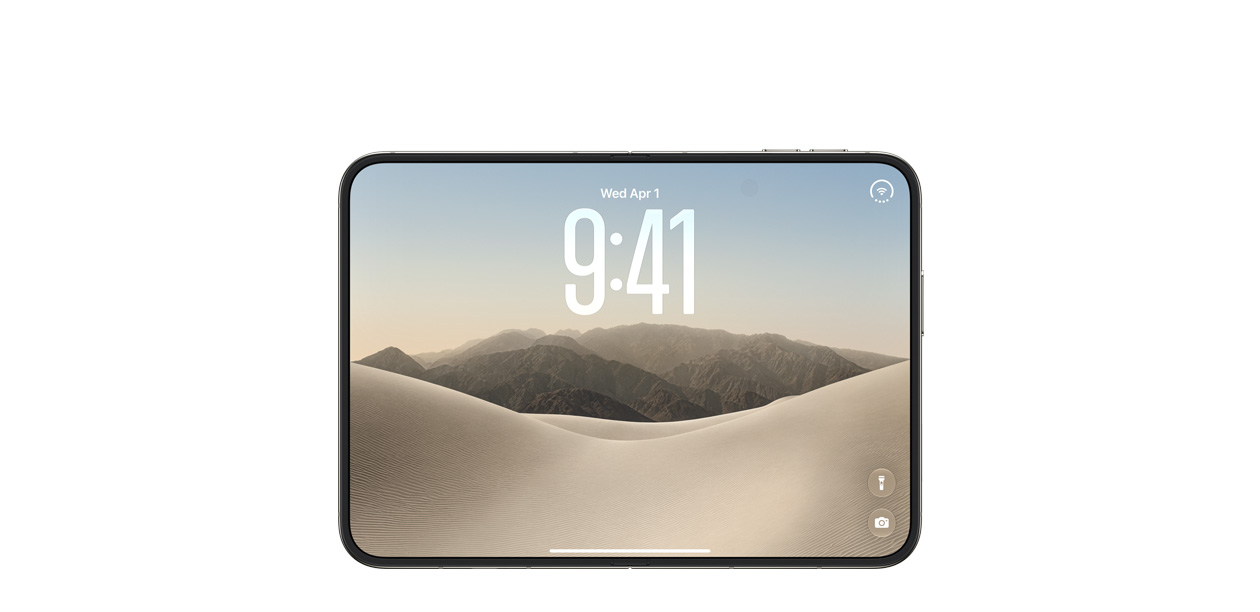
The 7.6-inch inner Super Retina XDR display. Image: Apple.
The Hinge as a Design Variable
The hinge on the Duo introduces something that has not existed in mainstream mobile design before: a physical state that changes the meaning of the interface. When the Duo is in tent mode, the user is likely watching something and not touching the screen much. When it is in laptop mode, the bottom half becomes a quasi-keyboard surface and the top half is the primary display. When it is fully open flat, both halves are equally interactive.
These are not just screen sizes. They are use contexts. And good design has always been about designing for context, not just for dimensions.
The closest parallel in recent design history is the shift from desktop to mobile. When that happened, designers did not simply shrink their desktop layouts to fit small screens. They rethought navigation, content hierarchy, input patterns, and interaction models from the ground up. The Duo requires a similar rethink, except this time the shift happens on the same device, in real time, while the user is already in your app.
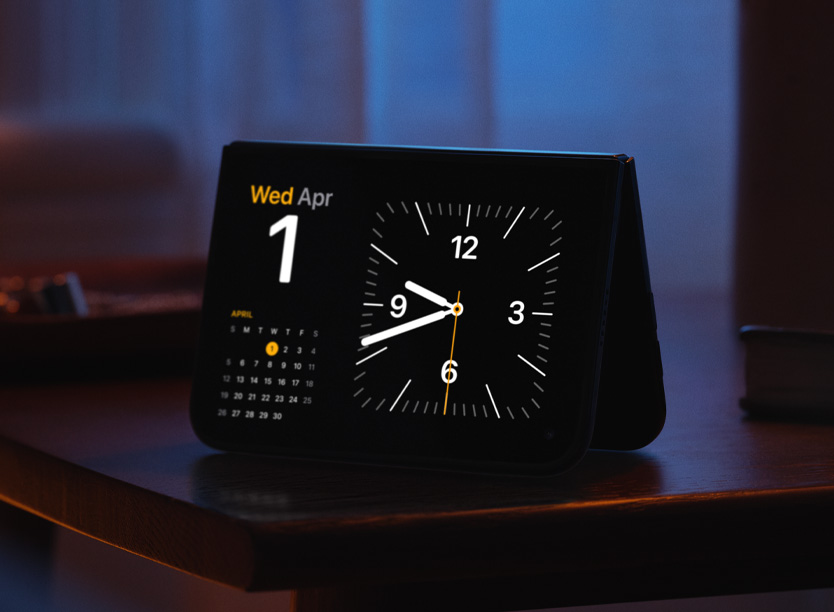
The Duo in multiple viewing configurations. Image: Apple.
The Next Generation of Mobile Computing
Apple ships a product like the Duo and within eighteen months it becomes the reference point. Developers optimise for it. Designers build around it. The conventions that emerge on the Duo will define mobile interaction patterns for the next decade, just as the original iPhone defined the ones we have now.
The designers who engage with this now, who think seriously about outer display interactions, about continuity between states, about what multitasking means on a folded phone, about how navigation adapts to a 7.6-inch portrait canvas, will be ahead. The designers who wait for the device to reach critical mass before caring will be catching up.
The Duo is not just a new phone. It is the opening move of a new era in how people relate to computing. The screen has always been the boundary between the user and the digital experience. Apple has made that boundary flexible. It is now on designers to figure out what that means.
That is an interesting problem. And interesting problems are where the best design work gets done.